
Feature tour
Everything in Handbook
Five parts that share one set of records. Most teams start with training and checklists and add the rest when they need it.
Training and onboarding
Training a new hire can work through alone
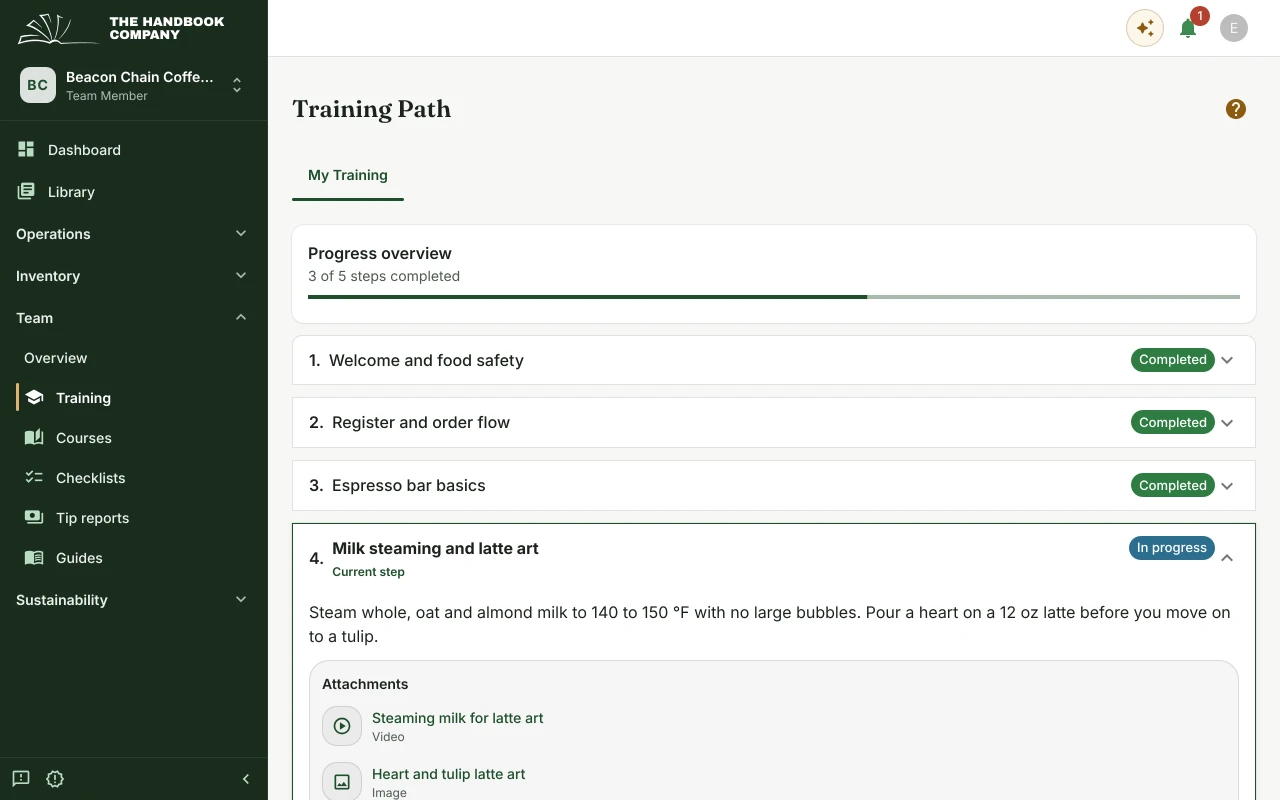
A training path gives each new hire their steps in order, with the documents and videos for each step attached. They can see what comes next, and so can their manager.
Courses add questions that the learner answers in their own words. A manager reviews the answers and can ask for another try on any of them.
- Training steps in order, with attachments from the library.
- Courses with written answers and a manager's review.
- Each person's progress, visible to their managers.
SOPs, recipes and standards
One library for every document
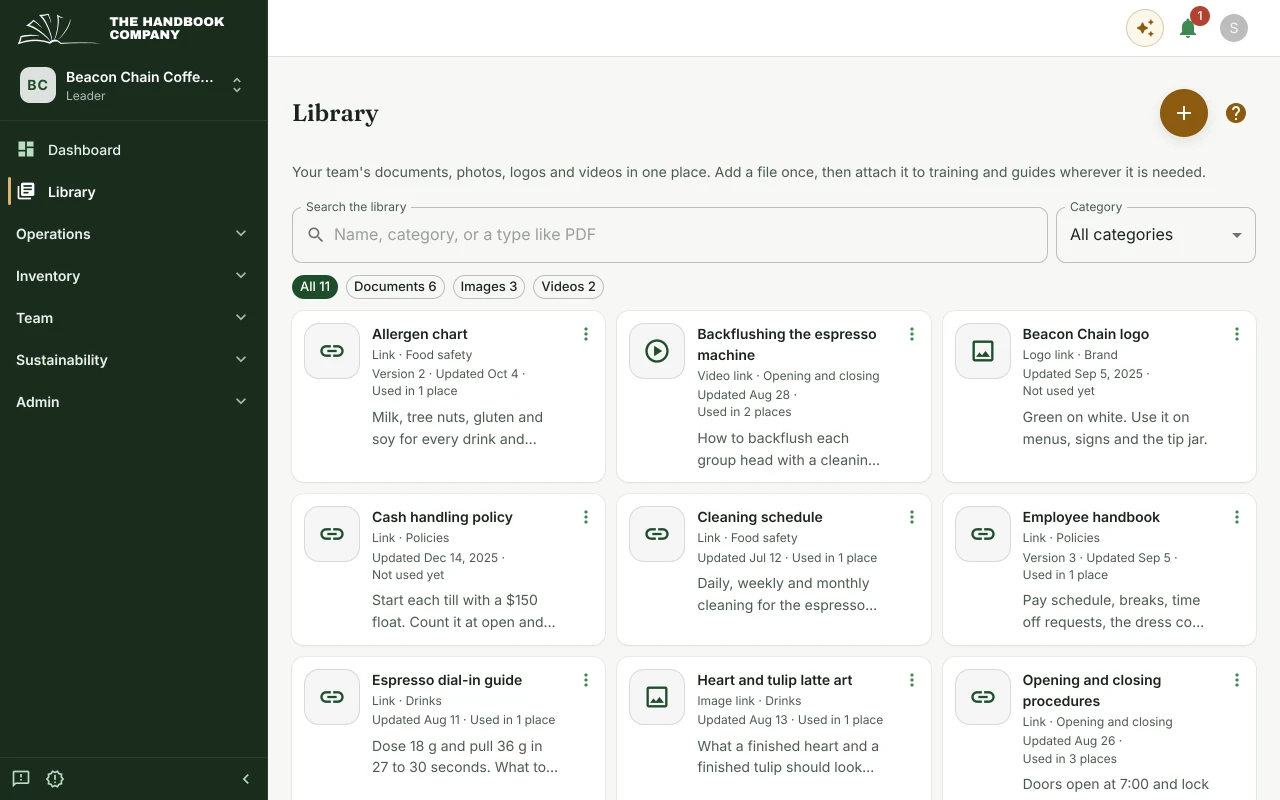
Policies, SOPs, cleaning schedules, logos and training videos live in one shared library, searchable by name, category or type.
Each file keeps its version history and shows where it is used. When a standard changes you replace it once, and every training step and guide it is attached to has the new version.
- A shared library for documents, images and videos.
- Version history, and where each file is used.
- Recipes and shift guides beside the documents they rely on.
Checklists
Checklists that record who did what
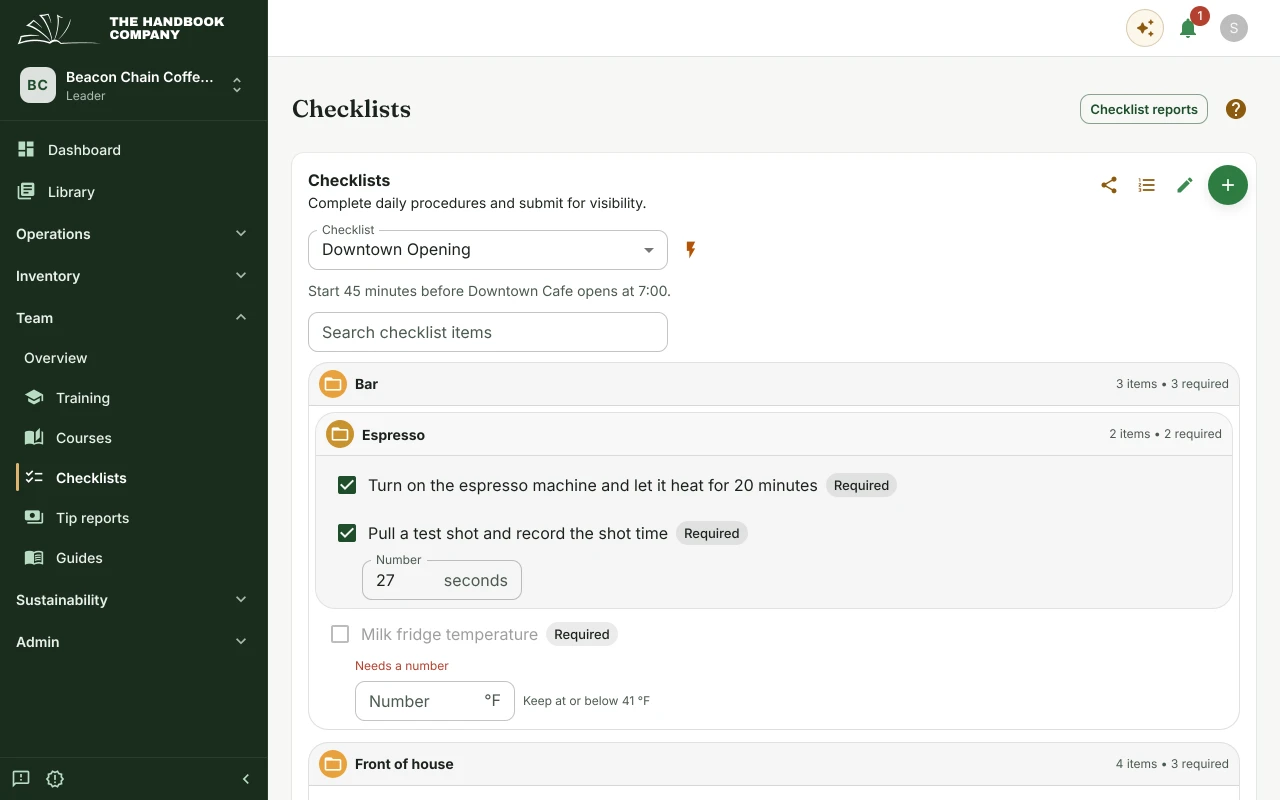
Opening, closing, cleaning and prep run as checklists. An item can ask for a tick, a reading with its limit (the milk fridge at or below 41 °F), a note or a photo.
Each submission records who completed it and when, so a manager can review last night's close without asking around.
- Ticks, readings with limits, notes and photos.
- Reminders at a set time on the days you choose.
- A report of every submission, and checklists several people can work on together.
Inventory
Inventory from the count to the order
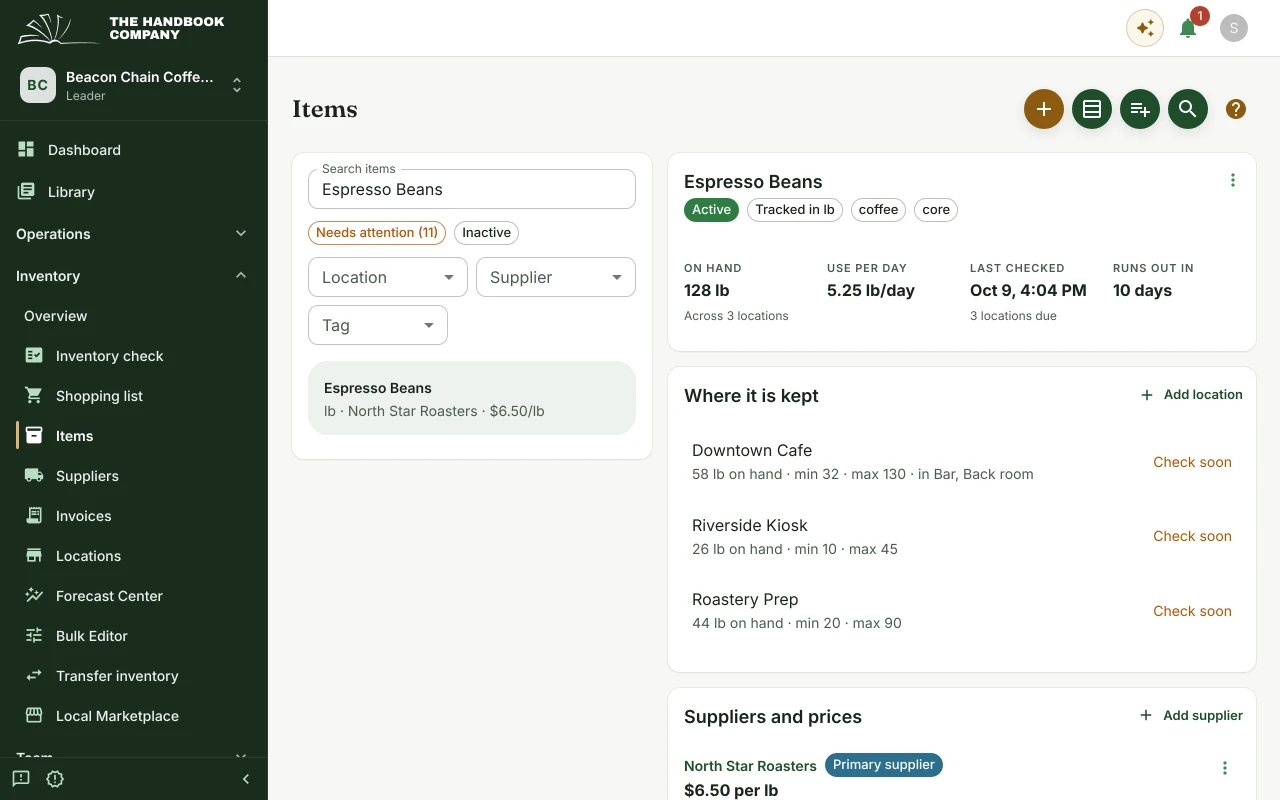
Counts are taken by location and by storage area, in the order someone walks the shop. Each count feeds a forecast of how fast an item is used and when it will run out.
The shopping list is built from those forecasts and grouped by supplier, and each item carries its supplier's price, unit and minimum order.
- Inventory checks by location and storage area.
- Forecasts of daily use and the day each item runs out.
- A shopping list grouped by supplier, and transfers between locations.
- Supplier prices with their history, invoice capture, and the local marketplace.
Handbook Assistant AI
An assistant that asks before it changes anything
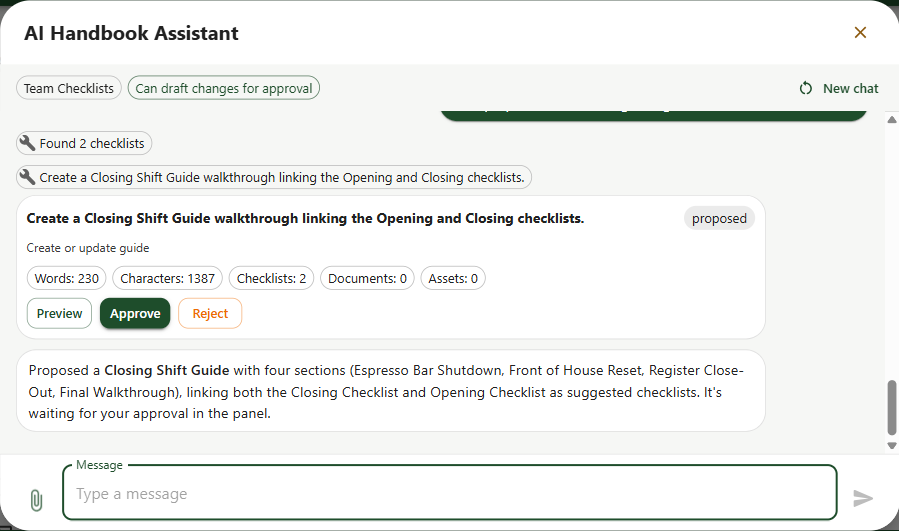
The assistant answers questions about your handbook and drafts changes to it, such as a new shift guide or an item list cleaned up after an import.
Every change it drafts waits for a person to approve it. It never saves anything on its own, which is what makes it safe to use on your real records.
- Answers drawn from your own handbook.
- Each draft shown in full before anything is saved.
- Preview, approve or reject each one.
See it against your own operation
Set up a handbook with your real SOPs and run one shift through it.