
For restaurants
Restaurant operations, one shift at a time
Checklists, recipes, counts, ordering, training and the month's numbers in one system. Here is how they fit into a single day of service.
Restaurants drift on the small things
Restaurants rarely fail on the big things. They drift on the small ones: a prep step skipped because the person who knew it is off, a recipe that changed in the kitchen but not in the binder, a walk-in count nobody did until Friday. Handbook is built to catch those.
6:00 AM, opening
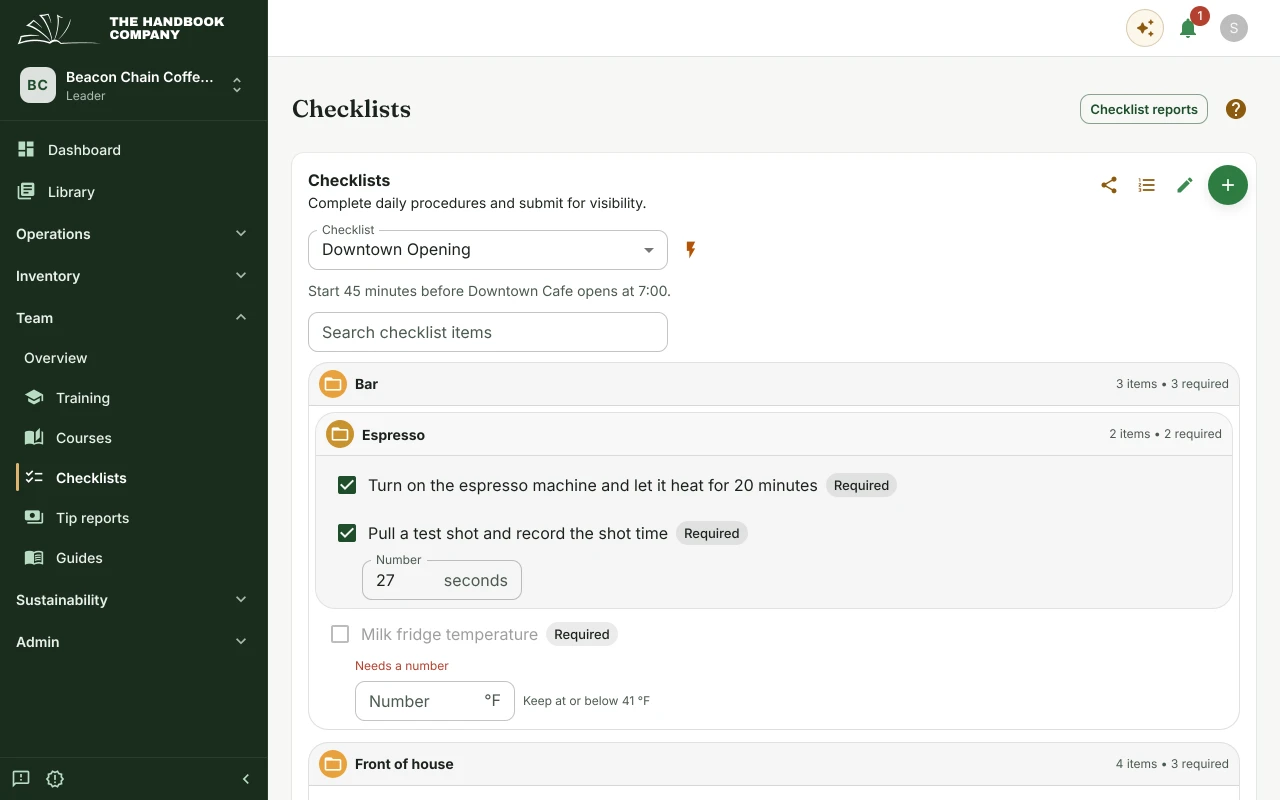
The opening checklist
Whoever opens works through a checklist on their phone: equipment on, temperatures logged, prep pulled. It records who did each part and when.
The opening guide sits beside it, so a new opener has the steps written down and no phone call to make.
- Opening, closing and cleaning checklists, with a record of every submission.
- Readings with limits, like the walk-in's temperature.
- Shift guides that name the checklist to finish.
10:00 AM, prep
Recipes the whole line works from
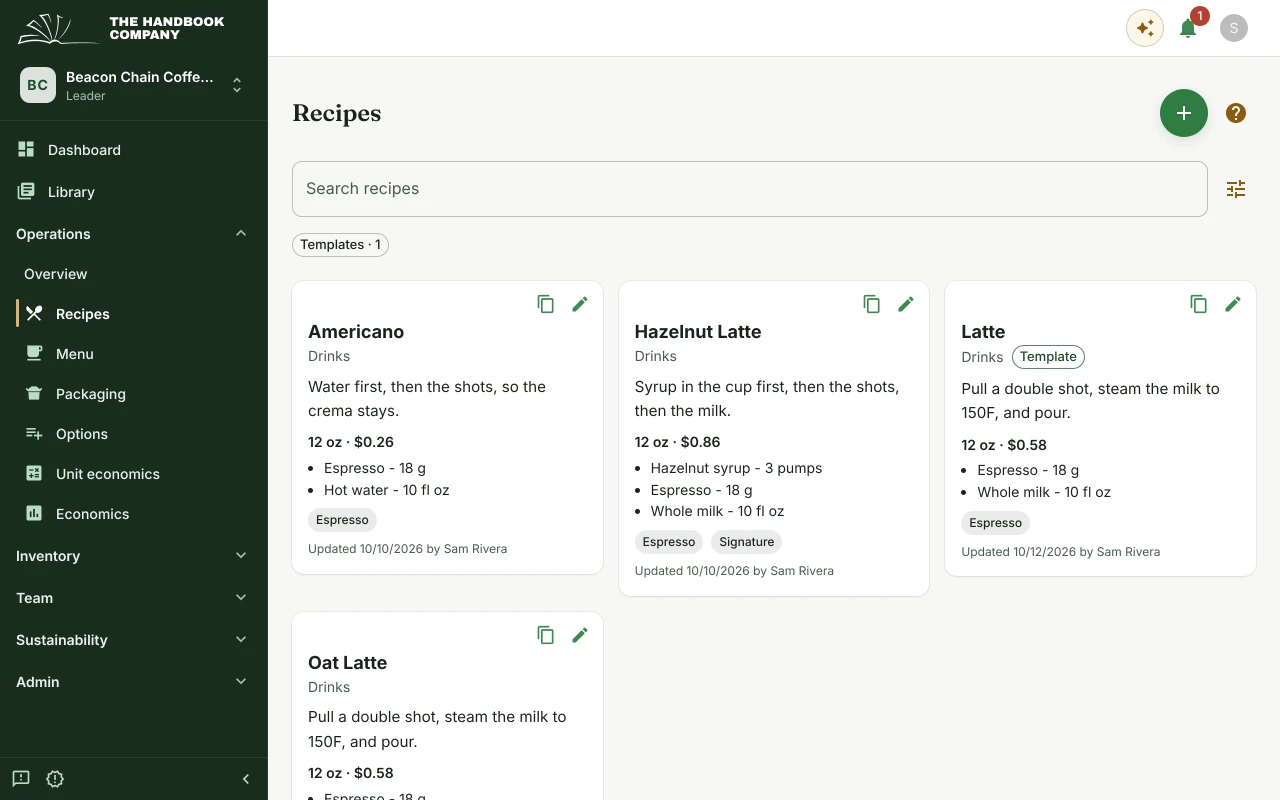
Recipes are built from the items you stock, with the method beside them, so the version on the line is the one the chef last changed.
Change a recipe once and the next shift works from it, with nothing to reprint. Its cost follows your suppliers' prices.
- Recipes built from your own items and units.
- What each recipe costs to make, from your suppliers' prices.
- Templates, so a new recipe can start from one you trust.
2:00 PM, between services
Counting on a phone
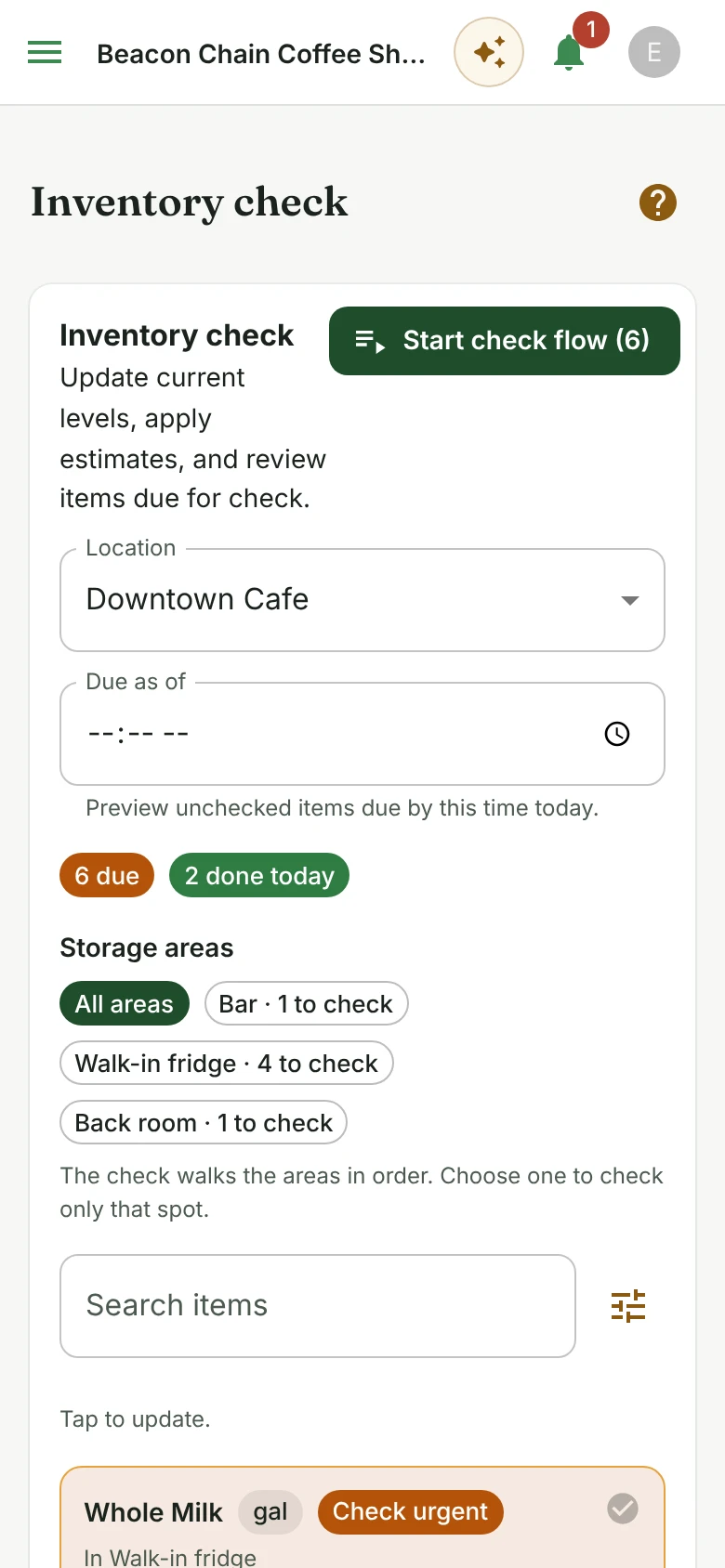
The inventory check shows what is due at each location, split by storage area: the bar, the walk-in, the back room. Whoever counts works through one area at a time on their phone and enters what is there.
Items running low are flagged as urgent, and every count feeds the forecast of when each item will run out.
- Counts due by location and by storage area.
- A guided count that walks the areas in order.
- What is done today, and what is still due.
3:00 PM, the order
The shopping list
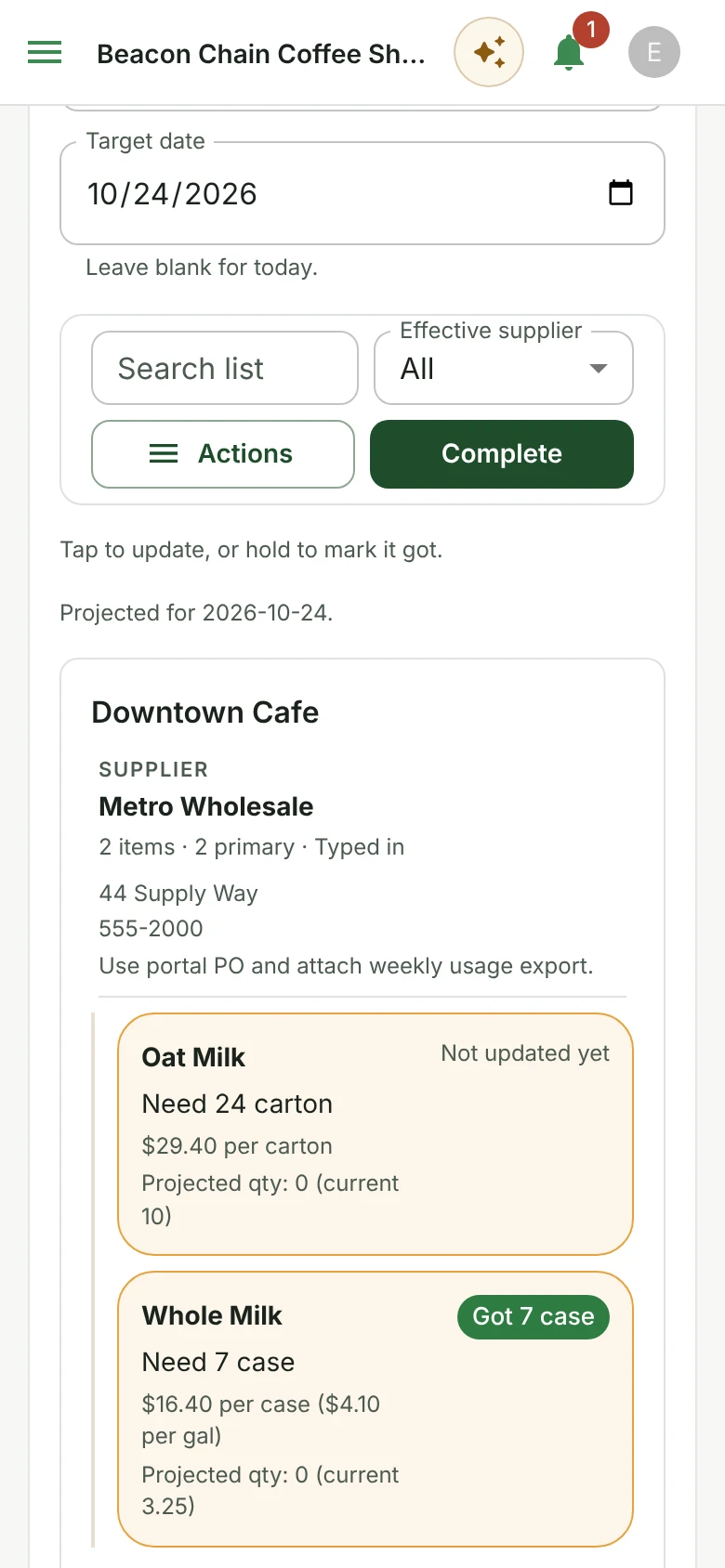
The shopping list is built from the counts and the forecasts and grouped by supplier, with each supplier's price and pack size. Pick a date and it shows what you will need by then, so one order can cover the week.
Whoever does the run taps an item to log what they bought, or holds it to mark it got, and each trip is kept so you can see what was bought and when.
- What to buy today, or by any date you choose.
- Grouped by supplier, with prices and pack sizes.
- Tap to log what you got, and a record of every trip.
Month end, the numbers
What the month earned
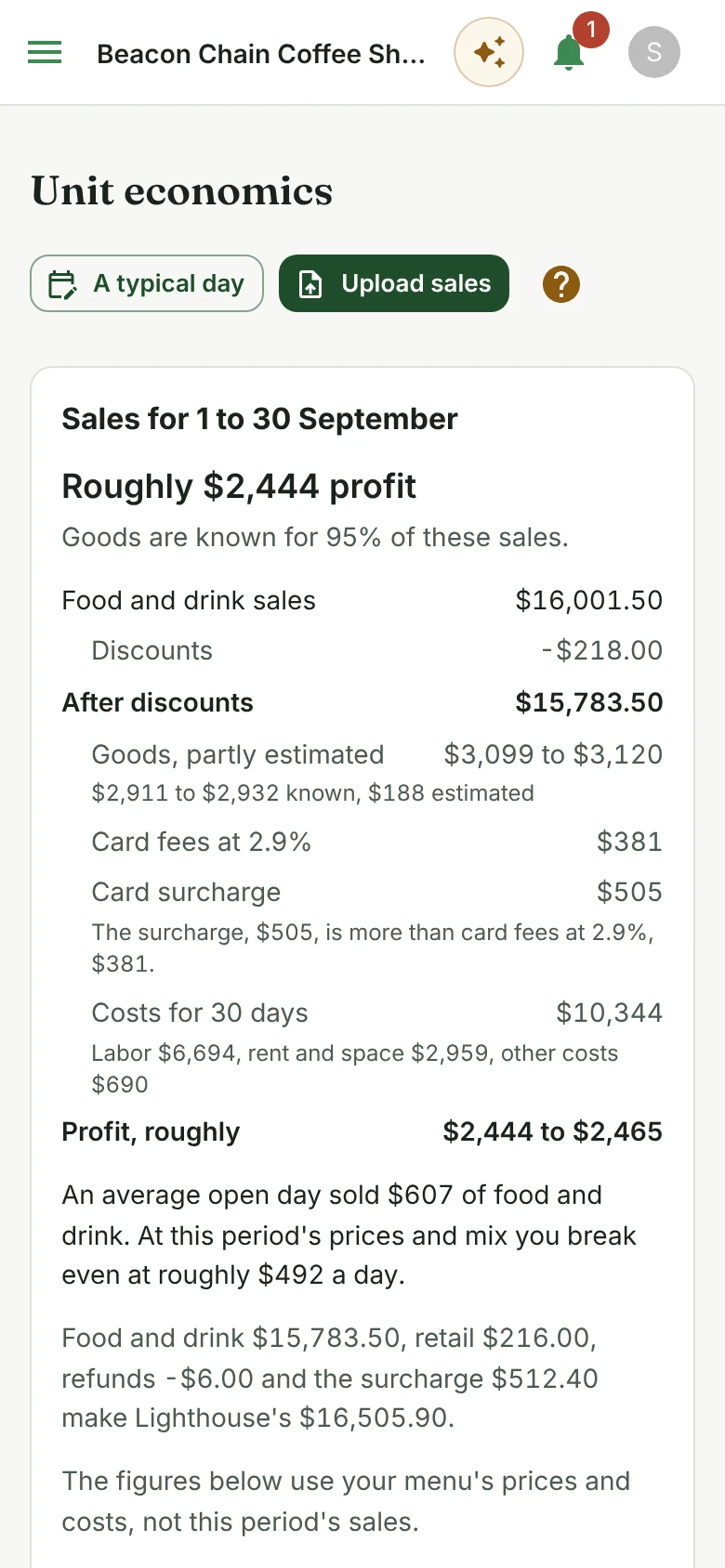
Unit economics takes a month of sales by item from Shift4 Lighthouse, or a typical day you describe, and sets it against what each item costs to make and what the business costs to run.
It shows the month's profit, what discounts and card fees took, the sales a day you need to break even, and what changes if prices, sales or costs move.
- Profit for the month, from your own sales report.
- Break-even sales a day, and what each item keeps after its costs.
- What-if changes to prices, sales and costs, with nothing saved.
Next week, a new hire
Training for new staff
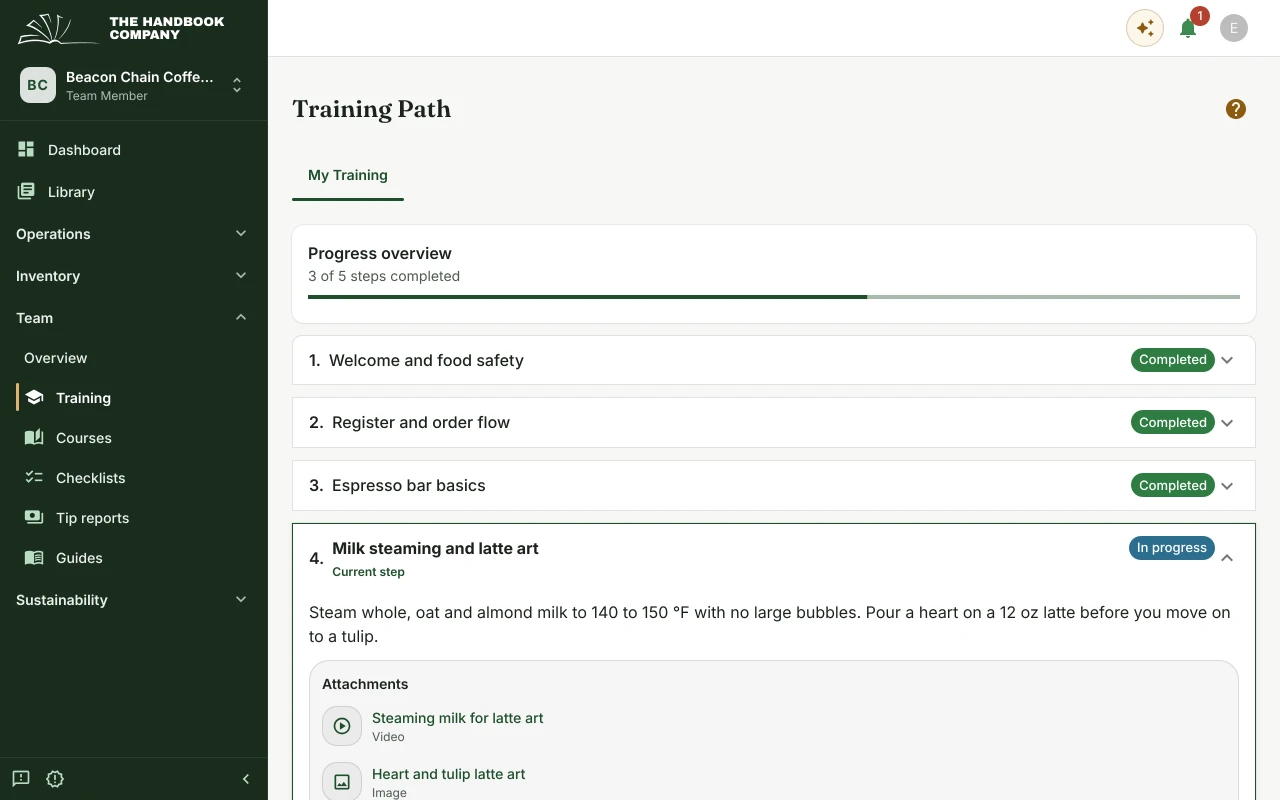
A new server or line cook gets a training path they can work through on their own, with the allergen chart, the recipes and the guides they need attached to each step.
Training uses the same documents the shift does, so it stays current without anyone rewriting it, and your best person stays on the floor.
- Training steps for front and back of house.
- Courses with written answers a manager reviews.
- Each new hire's progress, visible to managers.
Restaurant questions
- Is The Handbook Company useful for restaurants?
- Restaurants use Handbook for prep and service checklists, recipes with their costs, training for new staff, and inventory counted by storage area on a phone. The counts build a shopping list grouped by supplier, and unit economics shows what each month earned from the sales report.
- Can The Handbook Company centralize recipes and standards?
- Recipes in Handbook are built from the items you stock, with the method beside them, so each one shows what it costs to make. Prep standards and SOPs sit in the same handbook, in the library.
- Does The Handbook Company support inventory workflows?
- Inventory is an optional part of Handbook. Turned on, it counts stock by location and storage area, forecasts when each item will run out, builds a shopping list grouped by supplier, and moves stock between locations.
- Is The Handbook Company useful for coffee shops?
- Very much so. Handbook was first built for a coffee business, so it knows that work: recipes costed by the cup, opening and closing checklists, training for new baristas, and milk and beans that need ordering before they run out.
Run one real shift through it
Put your opening list, one recipe and one count into a handbook, and see how the next shift goes.