
Shipped
Easier to find
Courses open on what a new hire can take, the Waste Log shows the last two weeks, and reports, menu options and tracking sessions sit where you look for them.
October 11, 2026 · 1.58.0
What was hard to find
Everything here was already in the app and went unseen: courses a new hire had not opened yet, last night's waste entries, tracking sessions, a menu item's options, reports that lived only under Admin, and the cards a phone stacked under the directory.
Courses
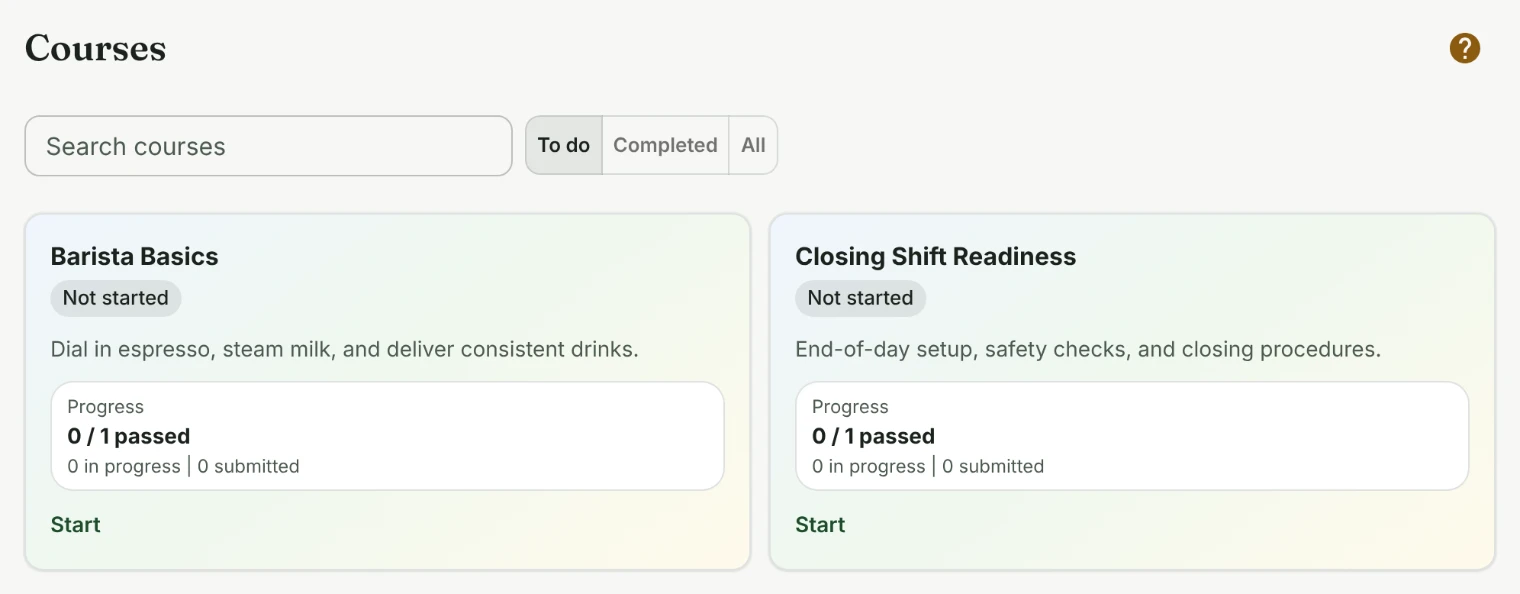
Courses now opens on To do, every course not finished yet, whether it is started or not. It used to open on courses already in progress, so somebody on their first day saw an empty page and a message about filters.
Owners and admins also see courses that are not live yet, marked so, including the one they just made. When the page lists nothing, it says why: no courses yet, everything completed, or a search that found nothing.
The Waste Log and tracking sessions
The Waste Log keeps the last two weeks under Earlier, by day, so an entry logged last night can still be fixed by the person who logged it, for a day after.
Tracking sessions has its own place in the Sustainability menu. Its time zone, like the ones on checklist reminders and locations, is picked by typing a city.
Reports, menu items and the phone dashboard
Checklists and Tip reports link owners and admins straight to the checklist reports and tip totals. A menu item's options sit above its sizes, and adding items you buy asks how many come in a box beside the item it is about.
On a phone, the dashboard shows training and quick links first and the team directory last.
Training and coursesSustainabilityChecklistsStandards and recipesPlatform
Tell us what to fix next
Everything on this page started with somebody saying something was awkward. Questions count, and so does telling us a thing is harder than it should be.