
Updates
What we have been building
Everything we have shipped, what we are building, and what people have asked us for. Updated as we work rather than on a schedule.
67 updates
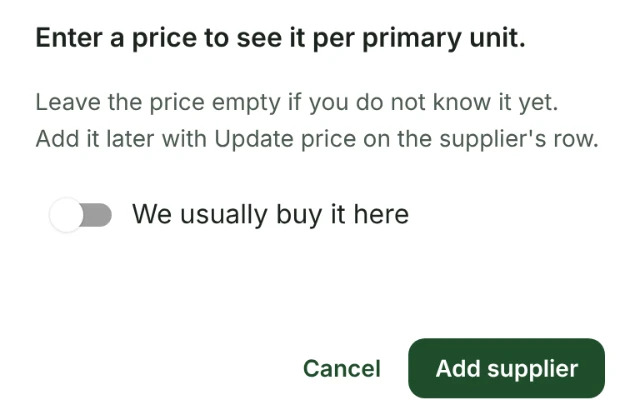
Add a supplier before you know its price
Add supplier on an item no longer waits for a price. Leave the price empty if you do not know it yet, and add it when you do.
InventorySuppliers and invoices
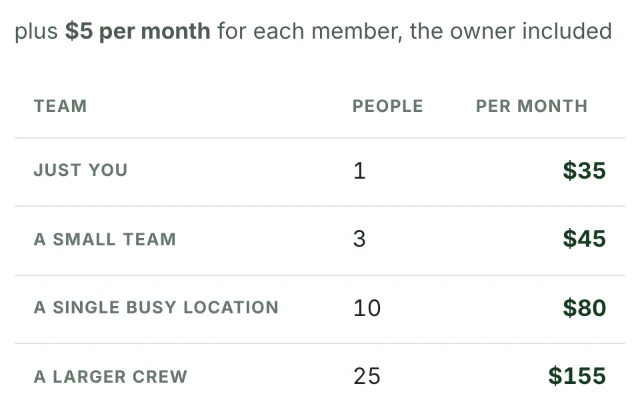
Clearer pricing and a better website
The pricing page now says the owner counts as a member, so one person is $35 a month. The trial button stays in view, and the demo handbooks are a click away.
Platform
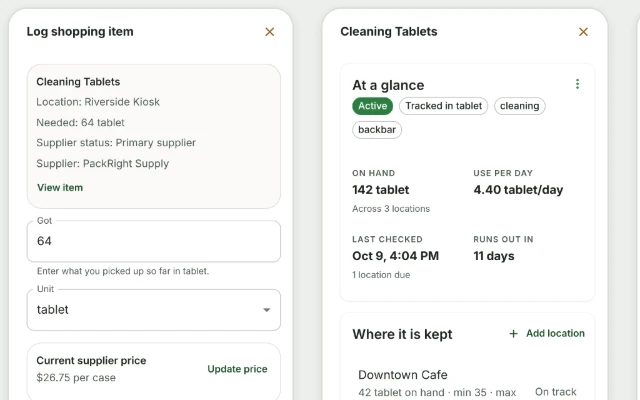
View item on the shopping list
On a shopping trip, View item opens the whole item over the list. Owners and admins can change any part of it there, and staff can look it up without leaving the trip.
Inventory
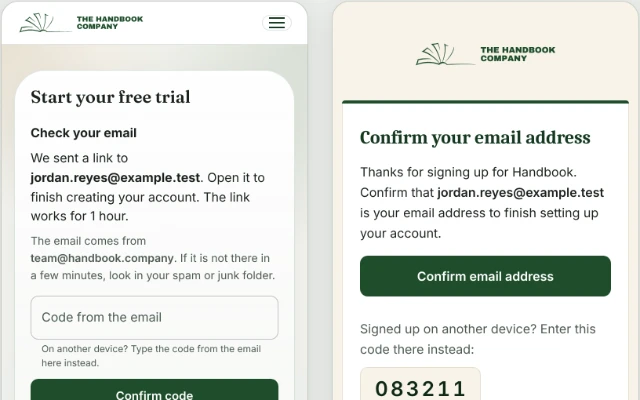
Clearer sign-up, sign-in and emails
Our emails now look like they come from us. After signing up you can send the email again or type its code, and a password reset works from its first link.
PlatformTeam and access
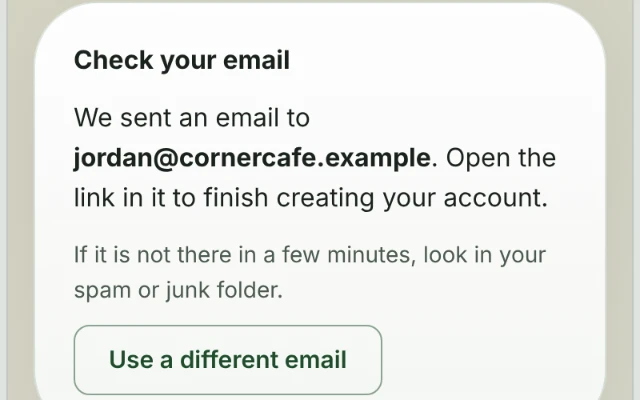
Signing up from the website
Every trial button on the website now opens the sign-up form, and after signing up the page says to check your email. The sign-in page also stays light in dark mode.
Platform
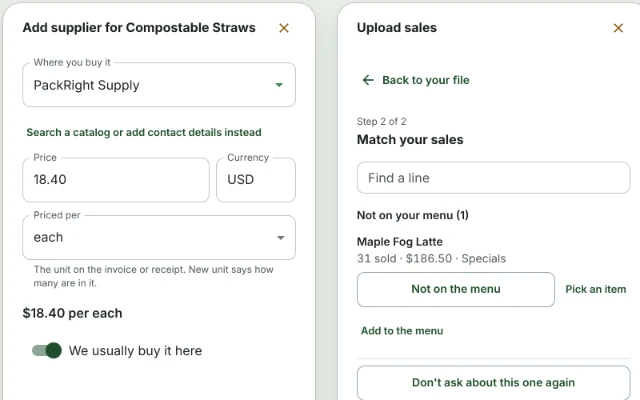
Fewer trips for one job
Adding a supplier now takes its price, a supplier page can add many items at once, and a sales line goes on the menu straight from the review.
Suppliers and invoicesInventoryStandards and recipesSustainabilityTeam and accessTraining and courses
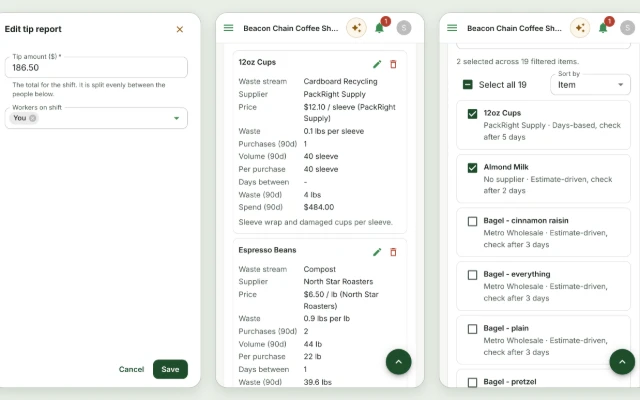
Fits a phone
Dialogs now take the whole screen on a phone and wide tables become cards. Editing a tip report opens a sheet of its own.
InventoryTeam and accessStandards and recipesSustainabilityPlatform
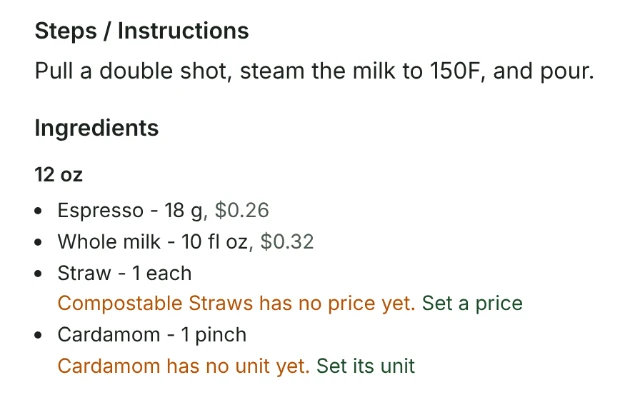
Fixes where the problem is
A missing price or unit is set from the recipe or menu item that names it, pages opened from another lead back to it, and empty lists offer the first step.
Standards and recipesInventoryTraining and coursesSustainabilityPlatform
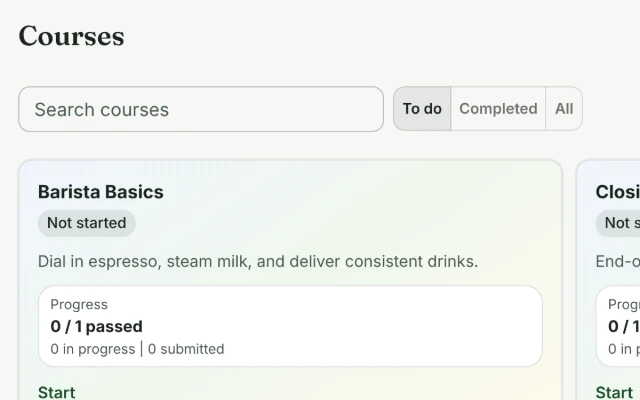
Easier to find
Courses open on what a new hire can take, the Waste Log shows the last two weeks, and reports, menu options and tracking sessions sit where you look for them.
Training and coursesSustainabilityChecklistsStandards and recipesPlatform
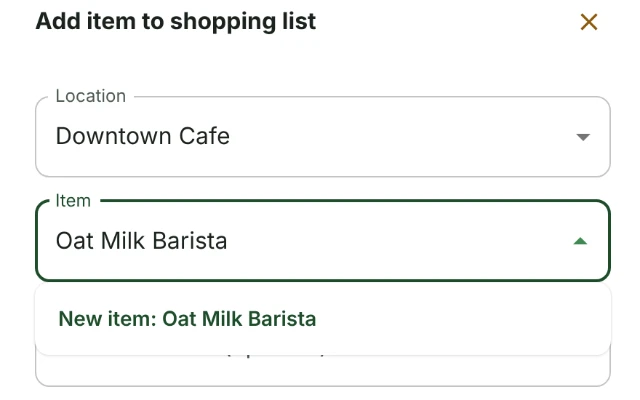
Adding what a list is missing
When the supplier, item, unit, location, checklist or container you need is not set up yet, the list you are picking from now offers to add it.
InventorySuppliers and invoicesStandards and recipesChecklistsTraining and coursesSustainability
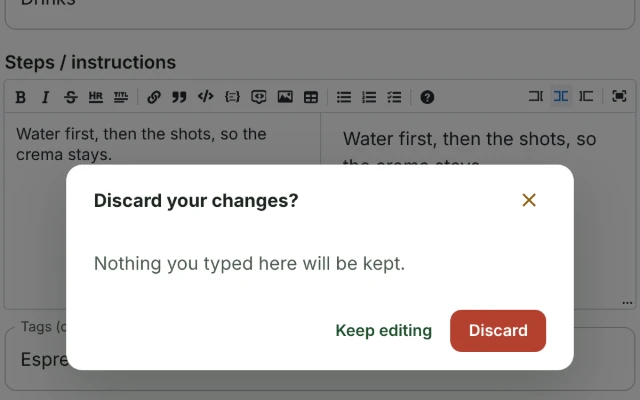
Unsaved changes kept from a stray tap
Long editors now ask before a tap outside or Escape throws away what was typed, and a shopping trip keeps what was bought for an item added by hand.
Standards and recipesChecklistsTraining and coursesInventorySustainability
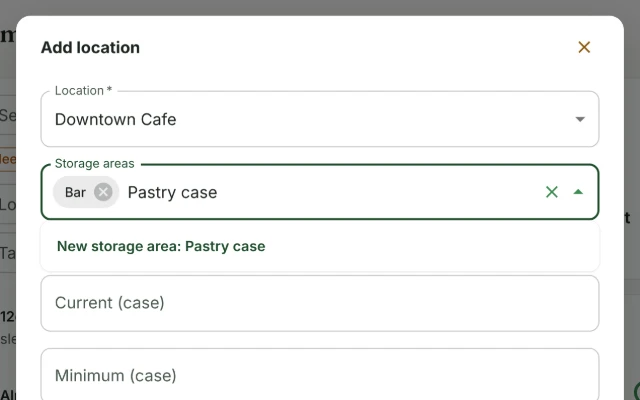
Setting up and checking storage areas
Make a location or storage area without leaving an item, fill an area by tapping items across, and check one storage area at a time.
Inventory
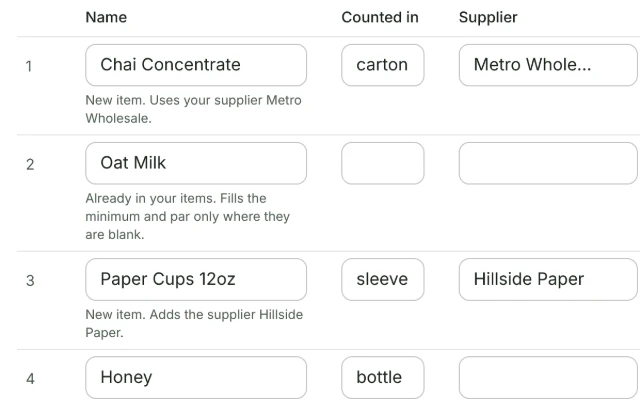
Add several items at once
Type or paste a list of items into a grid, see what each row will do before anything is saved, and add them all with one Undo.
Inventory
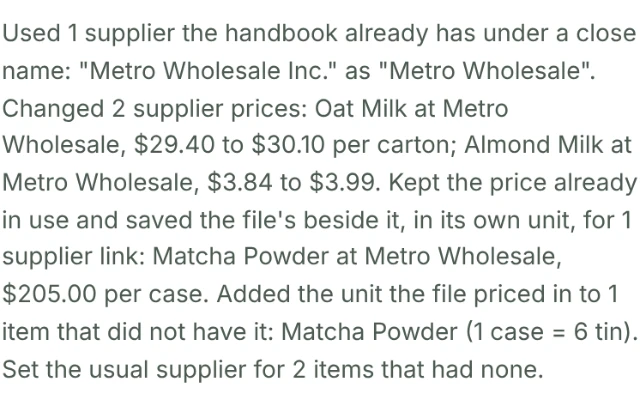
Supplier prices on a re-uploaded stock list
Uploading a stock list again now names every supplier price it changes, leaves alone the usual supplier you chose, and Undo puts all of it back.
InventorySuppliers and invoicesAssistant
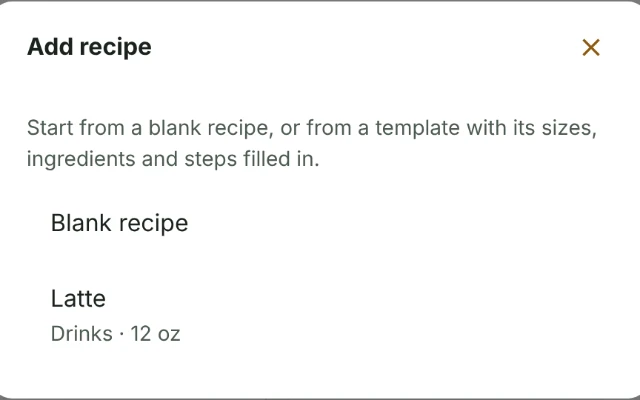
Start a new recipe from a template
Mark a recipe as a template, and adding a recipe offers it as a starting point with its sizes, ingredients and steps already filled in.
Standards and recipes
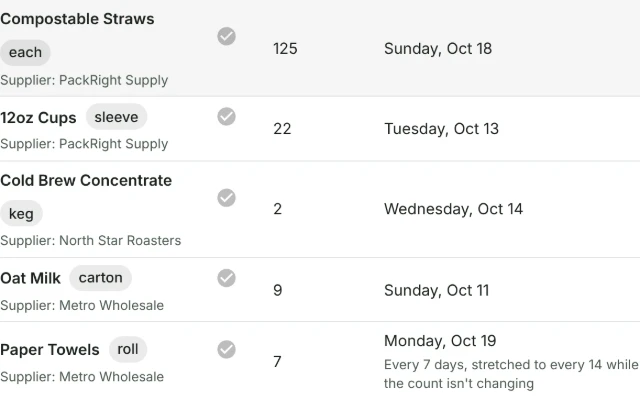
Inventory checks are due by the calendar day
An item counted on a Monday every 7 days is now due from the start of the next Monday, and the check list says which day each item is next due.
Inventory
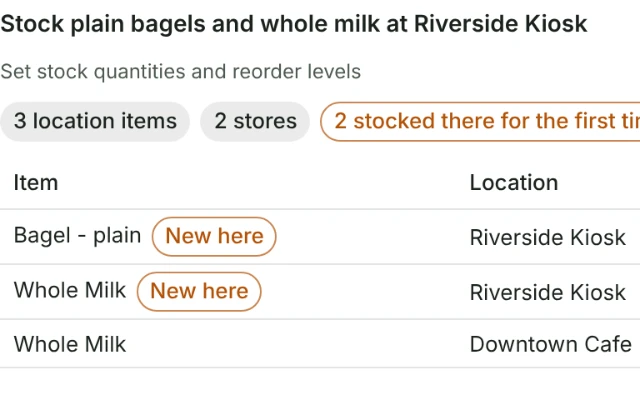
The assistant can manage locations
Ask the assistant to add, rename, switch off or merge locations, or to stock items you already have at one. It also reads its own open cards instead of asking you.
AssistantInventory
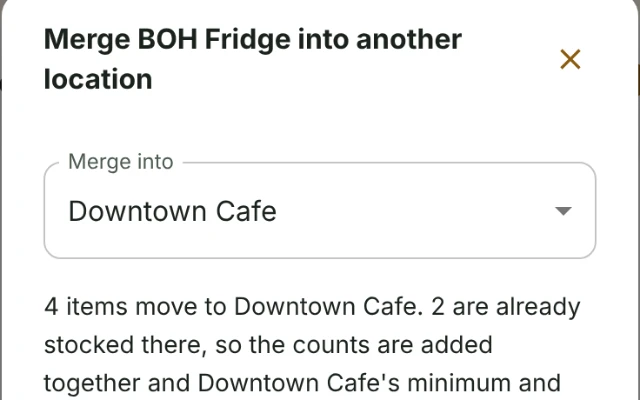
Merge a location into another
Fold a location you no longer need into another, with its stock, history and storage areas. Transfers now save all at once or not at all.
Inventory
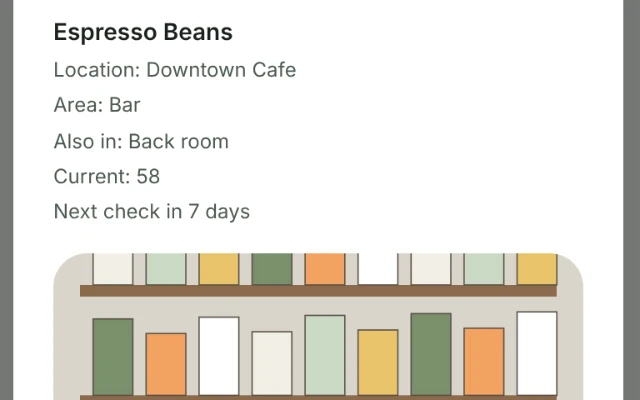
Storage areas with a photo of each
Mark the spots inside a shop where stock is kept, like the walk-in or the bar, with a photo of each. The inventory check now walks them in your order.
Inventory
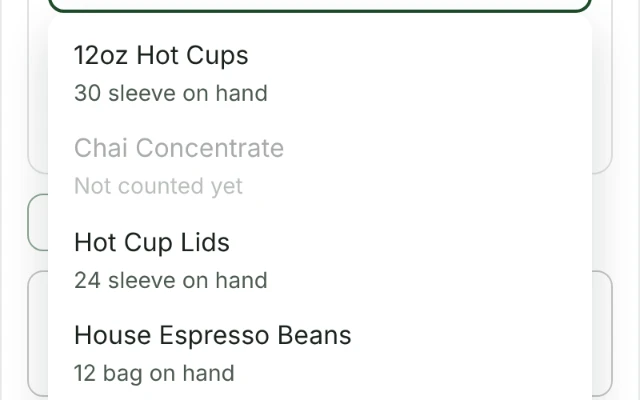
Transfers, locations and installing on an iPhone
A transfer now offers only what a location holds and no more than it has, a location says what it is for, and the dashboard shows how to install the app on an iPhone.
InventoryPlatformAssistant
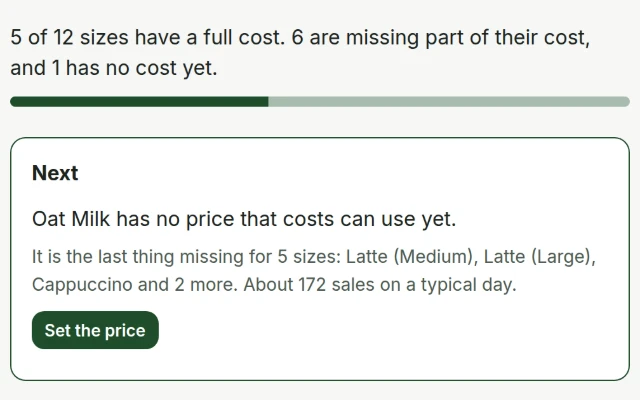
Finish setting up the menu
One page lists what is left before every item on your menu has a full cost, with the fix to do first at the top and most fixes done right there.
Standards and recipes
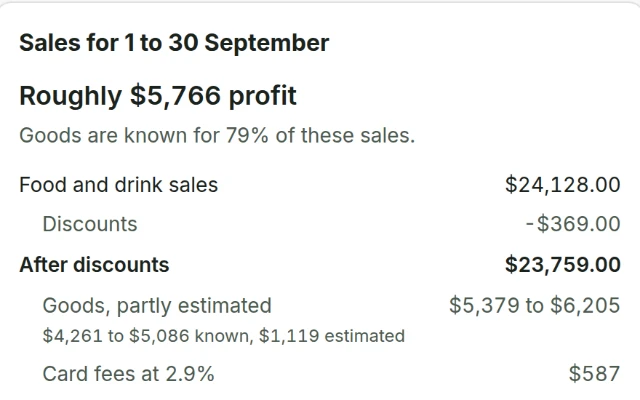
Upload your sales
Upload a Shift4 Lighthouse sales report and Unit economics shows how a real day or month went: what sold, what it cost, and profit against break-even.
Standards and recipesAssistant
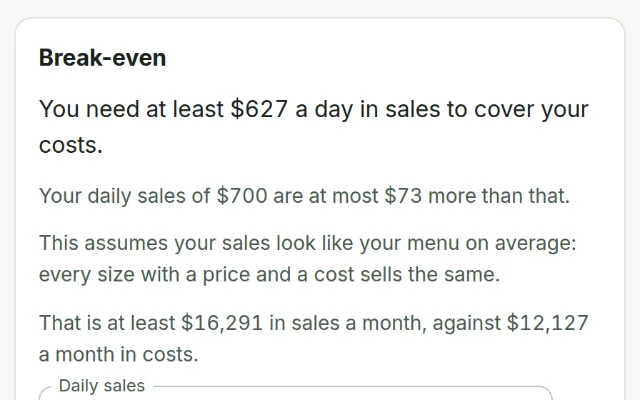
Break-even from your menu and costs
Unit economics now shows where you break even from your menu and monthly costs, before any sales are entered, and lets you try daily sales or a new price on the spot.
Standards and recipesAssistant
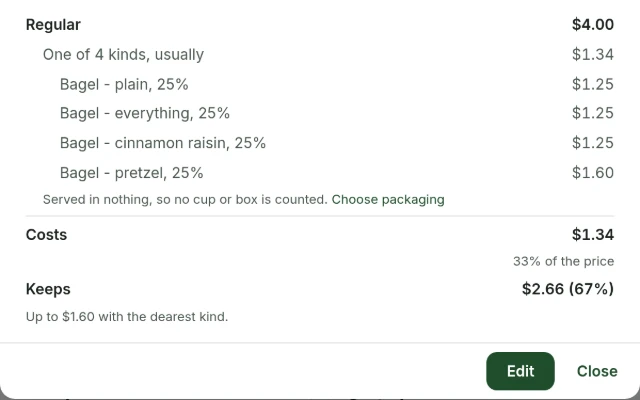
Sell what you buy, like bagels
Bagels, pastries and bottled drinks go on the menu as the items you buy, costed from what you pay for them, with several kinds of one item at their average.
Standards and recipesInventory
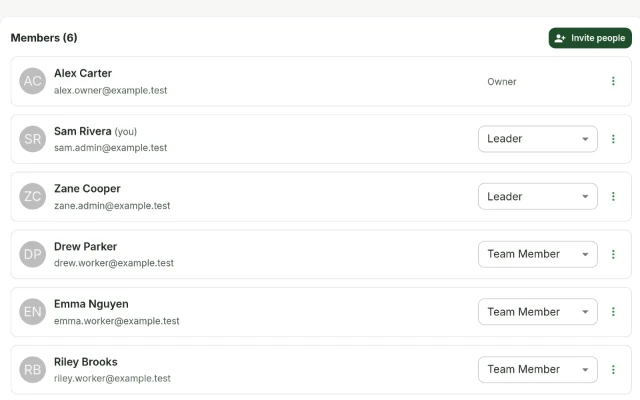
Every Admin page reworked
Users, the Directory, notifications, reports, billing and settings are each simpler to use, and the rules for who can change a sign-in email are tighter.
Team and accessChecklistsPlatform
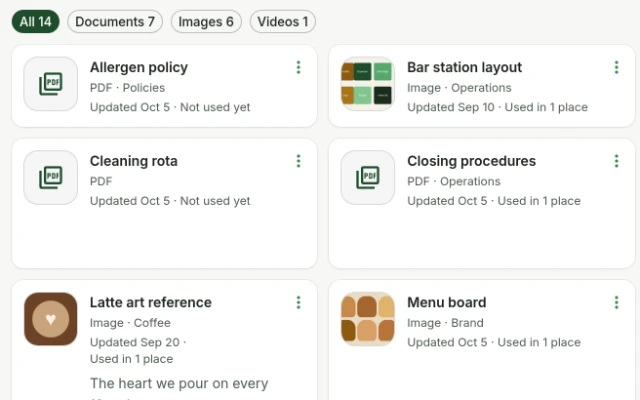
One Library, with every file kept once
The Library is one list with a picture of every image. It notices a file it already has, and a newer copy updates every step and guide that shows it.
Training and coursesPlatform
Staying signed in
On some phones the app opened the sign-in page on every visit, even for someone signed in. It keeps you signed in again, and an affected phone recovers by itself.
Platform
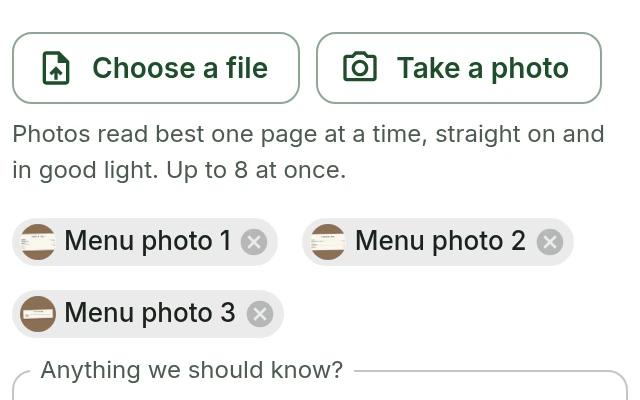
Add a menu from photos
Take photos of your printed menu, or choose them on your phone, and every item comes back with its prices and recipe to check before it is added.
Standards and recipesAssistant
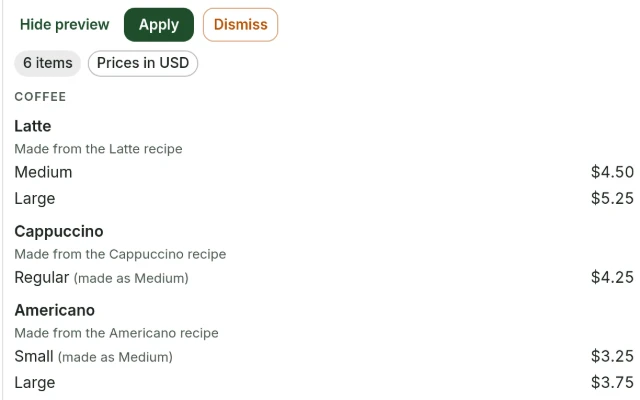
Add a menu from a file
Bring in the menu you already have as a PDF, a document or a spreadsheet. Every item comes back with its prices and recipe to check before it is added.
Standards and recipesAssistantInventory
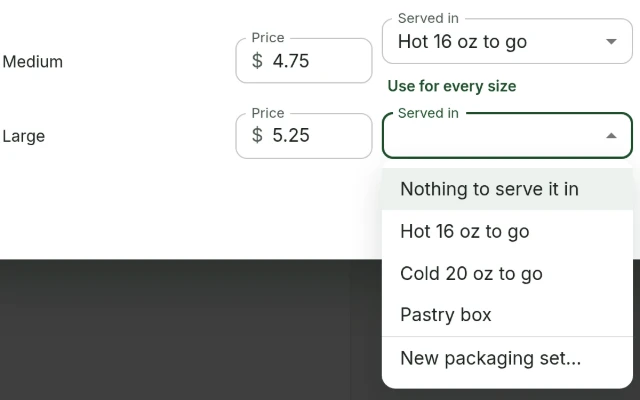
Make what the menu needs without leaving it
Make a packaging set or an option group from the menu item that needs it, and put a recipe on the menu from Recipes with a price for each size.
Standards and recipesInventory
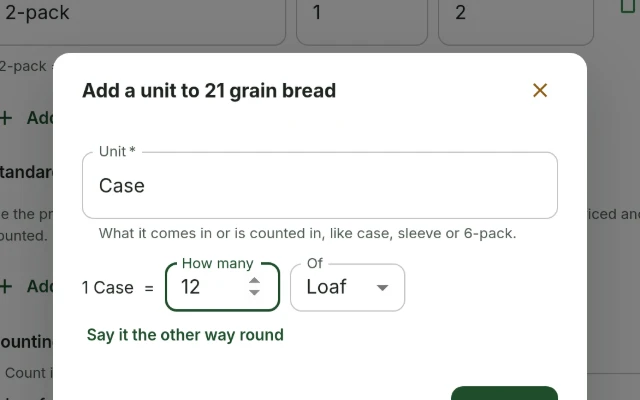
Add a unit the same way everywhere
Making a new unit, such as a case or a sleeve, now works the same on every page that needs one. Say it the way you would, like 1 Case = 6 Bottle.
InventorySuppliers and invoicesStandards and recipesSustainability
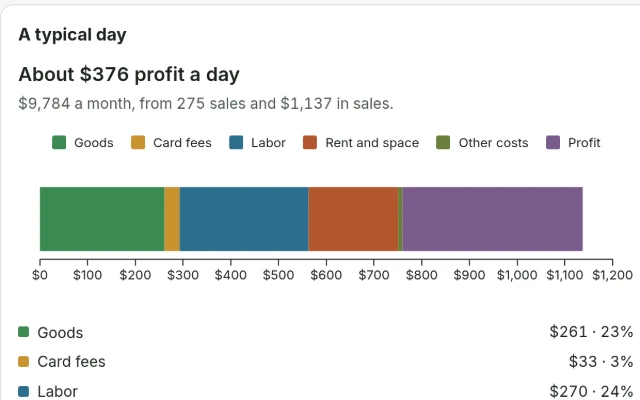
Unit economics: profit, break-even and prices
A new Unit economics page adds rent, labor and card fees to what each drink costs, to show profit on a typical day, where it breaks even, and prices to try.
Standards and recipesInventoryAssistant
A searchable page for everything we ship
A searchable record of what we shipped, what we are building and what people asked for, instead of feedback vanishing into a form that never replies.
Platform
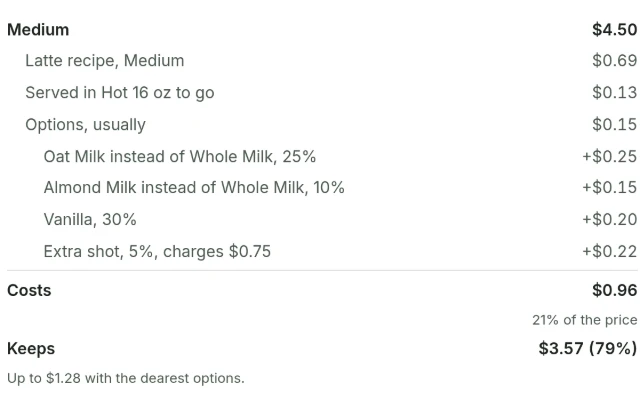
A menu that knows what each drink costs
The new Menu lists what you sell and for how much. Owners and admins also see what each size costs to serve, from its recipe to the cup and the free oat milk.
Standards and recipesInventory
iPhone photos work in every upload
An iPhone saves photos as HEIC, which most browsers cannot open. Every place you add a photo now turns one into a JPEG the moment you choose it.
Suppliers and invoicesStandards and recipesChecklistsPlatform
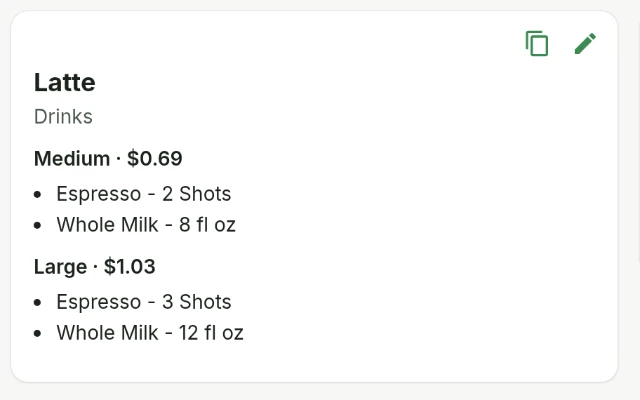
Recipe costs on the cards
Owners and admins now see what each size of a recipe costs on its card, with two filters for the recipes whose costs are not finished yet.
Standards and recipesInventory
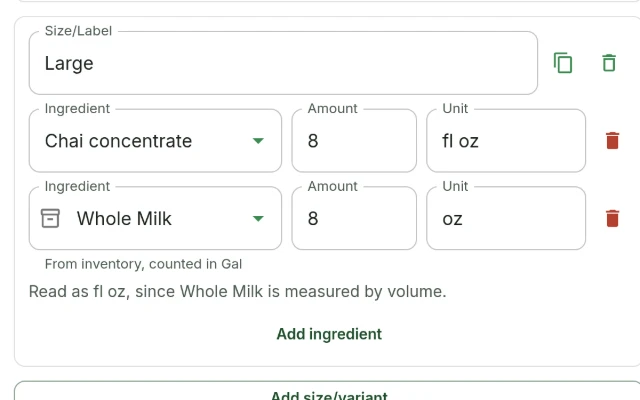
Copy a recipe size
Copy a size in a recipe to start the next one from it, and ounces of milk or syrup now count as fluid ounces without a question.
Standards and recipesInventory
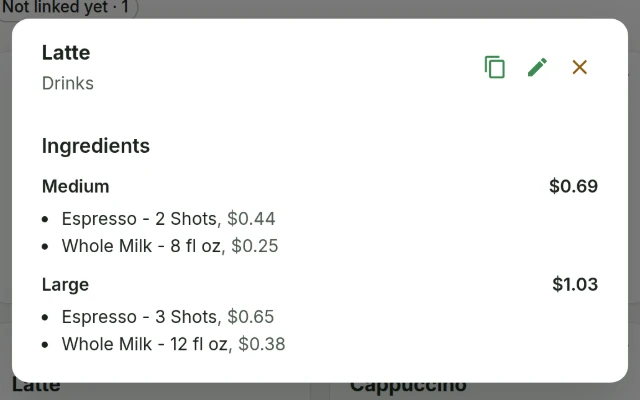
What a recipe costs
Link the ingredients in a recipe to your inventory items and see what each size costs to make, priced from the invoices you already capture.
Standards and recipesInventory
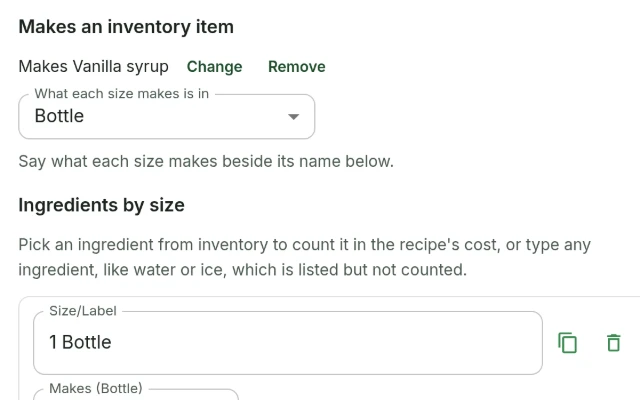
Recipes that know what is on your shelf
Make a batch from a recipe and have the stock move on its own. Recipes can now be linked to your items and costed, and making a batch is next to decide.
Standards and recipesInventory
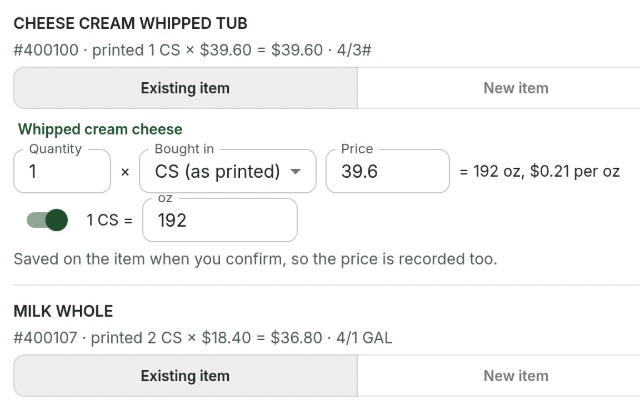
Pack weights and case lines
A pack printed in pounds or gallons now fills in items counted in ounces, and a case spelled out on a receipt is read as the one case it is.
InventorySuppliers and invoices
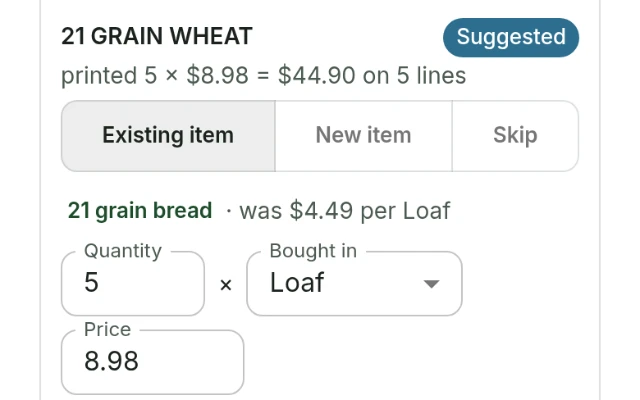
Receipt review on a phone
Each line of a receipt or an invoice now fits on a phone. Its choices sit on one line, its label says where it stands, and its notes take one line.
InventorySuppliers and invoices
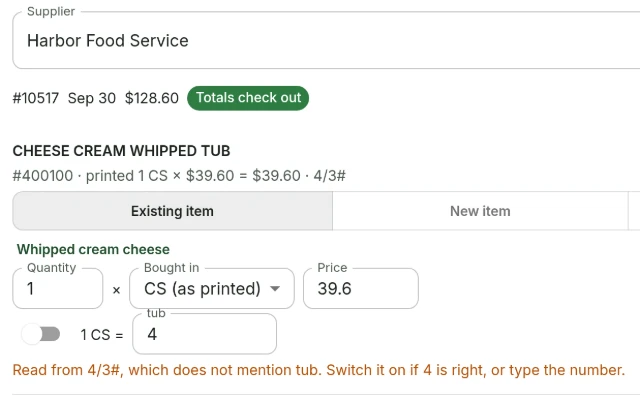
Case packs on invoices
A pack size printed on an invoice line is now read against how the item is counted. A pack that could mean more than one thing is asked about before anything is saved.
InventorySuppliers and invoices
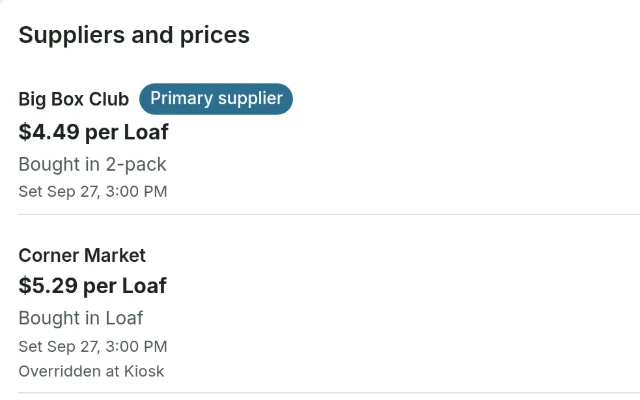
A unit for each supplier
Each supplier can now have its own unit for an item, so the shopping list and receipts read bread in packs from one store and by the loaf from another.
InventorySuppliers and invoices
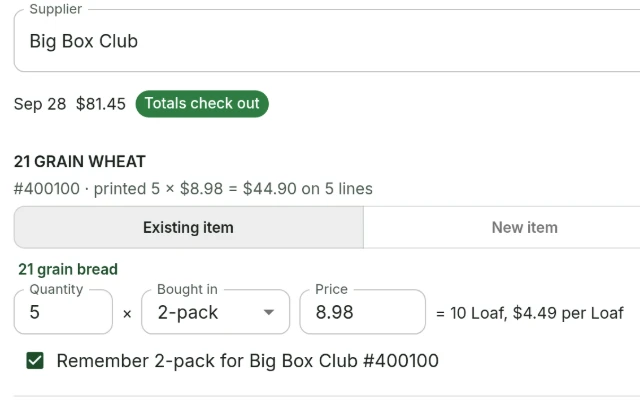
Units and corrections in receipt review
Each receipt and invoice line now says how many you bought, in which unit, and what that comes to in the unit the item is counted in. Anything misread can be corrected.
InventorySuppliers and invoices
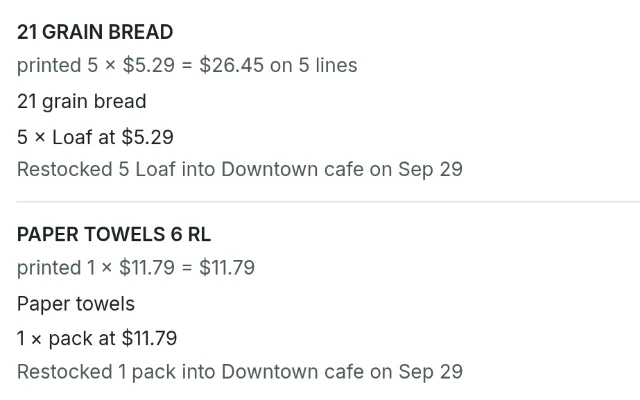
Receipts that print an item more than once
A till that prints one line for each loaf or bag now restocks the whole amount. The review already showed the total, and the stock now moves by it too.
Inventory
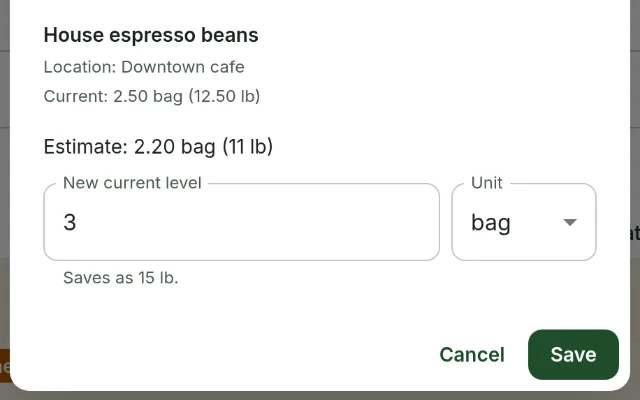
Count and buy in any unit
Count an item in bags, cases or any other unit it has. Each item can also say which unit its counts start in and which unit the shopping list shows it in.
Inventory
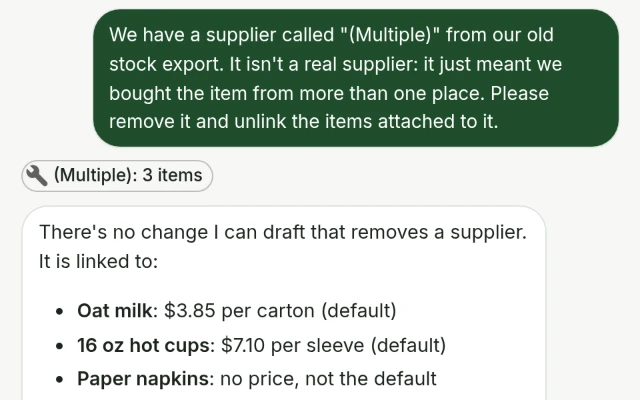
Asking the assistant about a supplier
The assistant can now tell you which items a supplier is linked to. Asked to remove a supplier, it tells you how, rather than offering a change that would not do it.
AssistantSuppliers and invoices
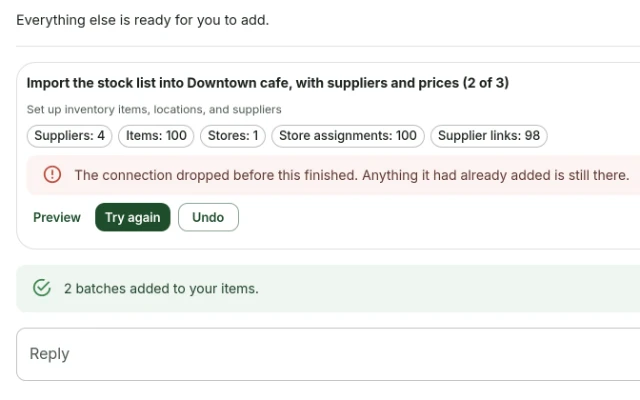
Stock list imports that get the numbers right
Prices written with a decimal comma, in brackets or as 1.5E+3 now import as the numbers they are, and a batch that fails part way can be undone from its own card.
InventorySuppliers and invoices
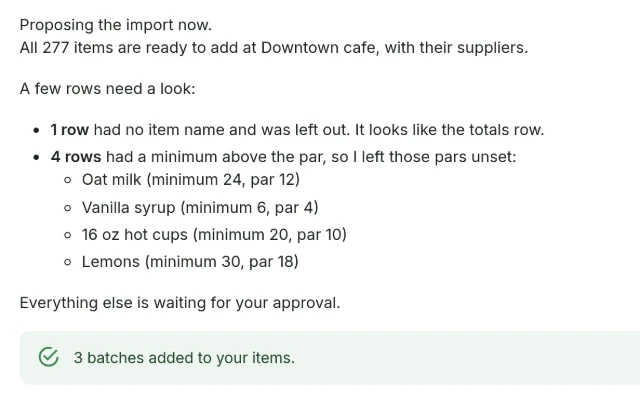
Spreadsheet imports that finish
A stock list exported from Excel now imports the whole way through, and uploading it again repairs an import that stopped part way rather than doubling everything.
InventorySuppliers and invoices
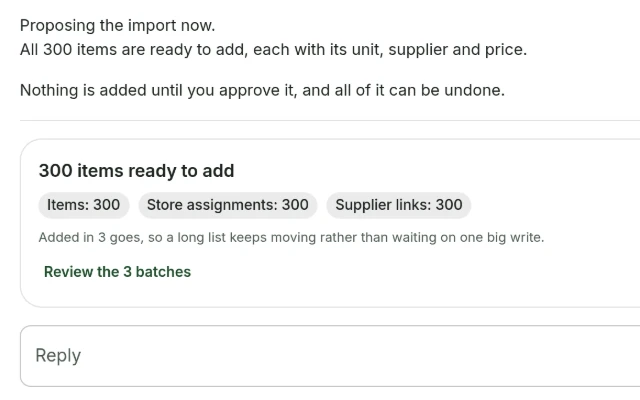
Bring your whole stock list over at once
Upload the export from whatever you use now and get your items, units, suppliers and prices, however long the file is.
InventorySuppliers and invoices
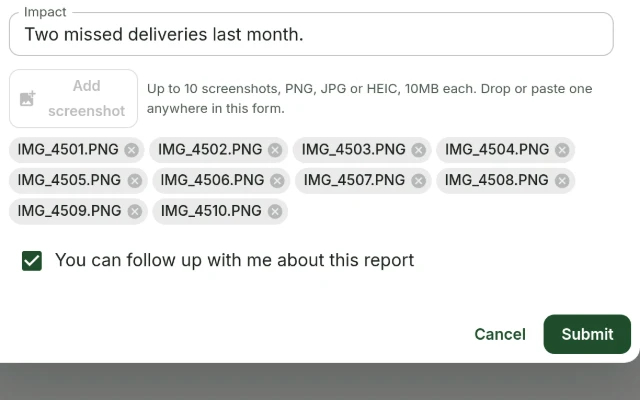
Suppliers, and ten screenshots per report
Inventory calls them suppliers now, everywhere you read it, and a feedback report takes ten screenshots instead of three.
Suppliers and invoicesPlatform
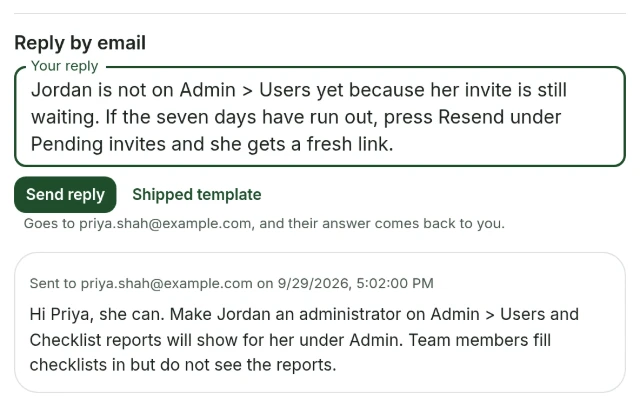
Answering the people who report things
The feedback form always promised a follow-up. Nothing in the product could keep that promise. Now it can.
Platform
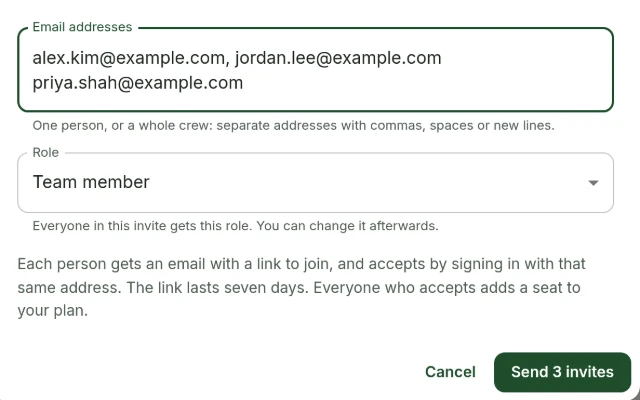
Invite your team from the page you are on
Inviting people worked. Finding the invite did not. It now sits on the Team page, and takes several addresses at once.
Team and access
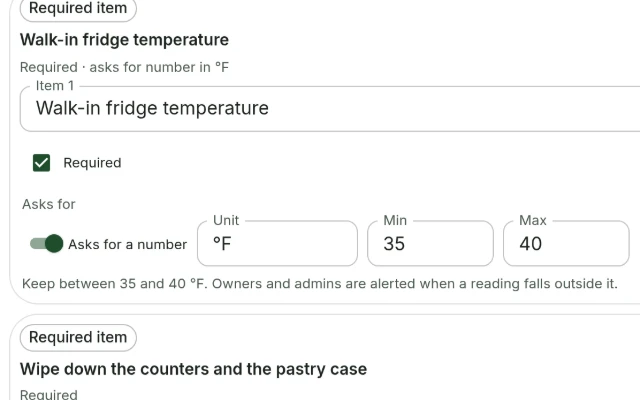
Checklist reminders, and alerts when a reading is off
A checklist can remind the people who run it, and tell an owner when a temperature or a reading comes back outside the range you set.
Checklists
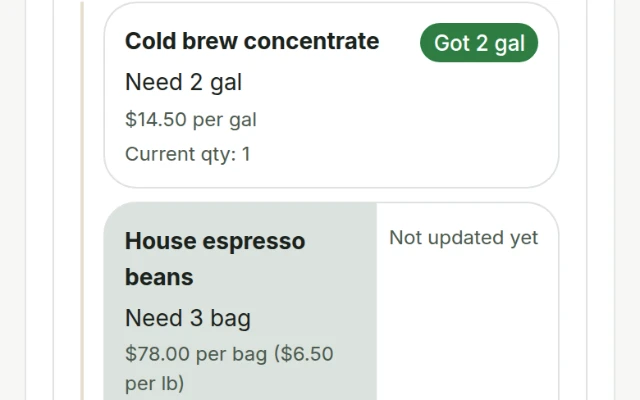
The shopping list fits a phone
The list you actually carry round a supplier now fits the screen you carry it on, and a row is marked bought by holding it.
Inventory
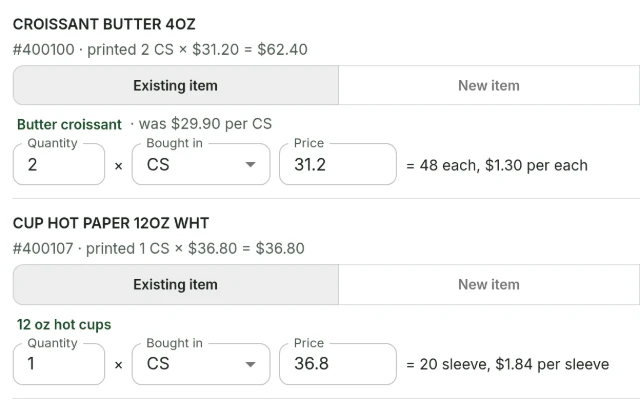
Photograph an invoice and the prices land
Take a picture of a supplier invoice or forward it by email, check the lines it read, and the prices go onto your items.
Suppliers and invoicesInventory
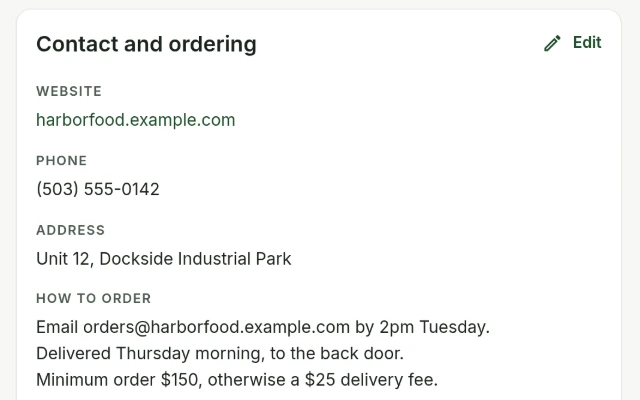
A real page for every supplier
Suppliers get a page each with their items, prices and how to order, and two duplicates of the same supplier can be merged back together.
Suppliers and invoices
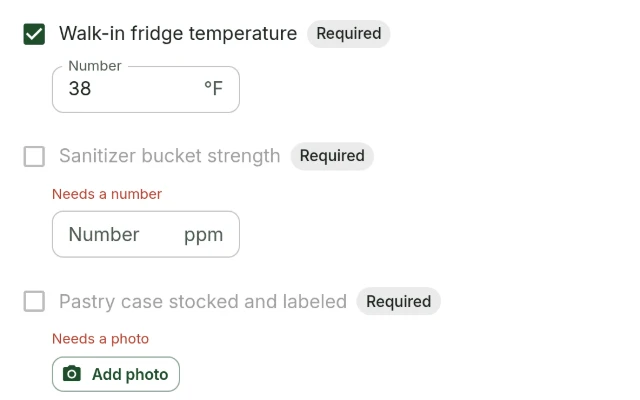
Checklists that ask for a number, a note or a photo
A checklist item can require a temperature, a short note or a photo, and the box will not tick until it has one.
Checklists
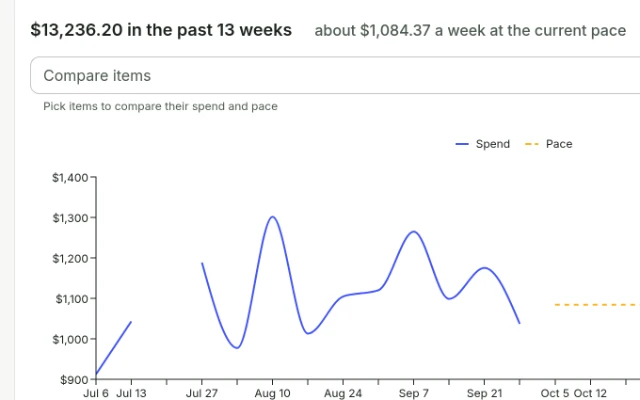
Economics answers what your inventory costs
One page about money: what stock cost you week by week, what it will cost at the current pace, and which items are worth a look.
Inventory
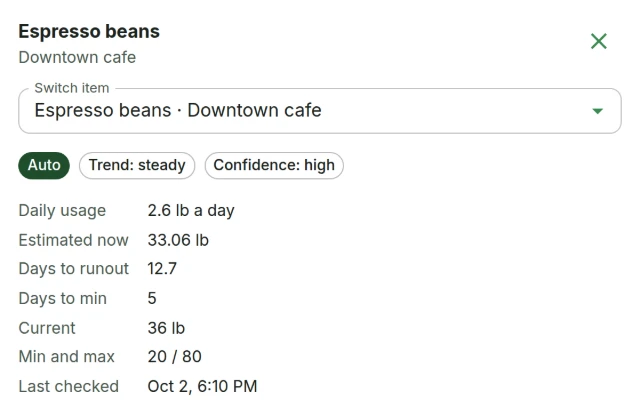
The Forecast Center, and when things run out
One place for what you are using, what runs out next and when to order it, with the item you are reading about open beside the table.
Inventory
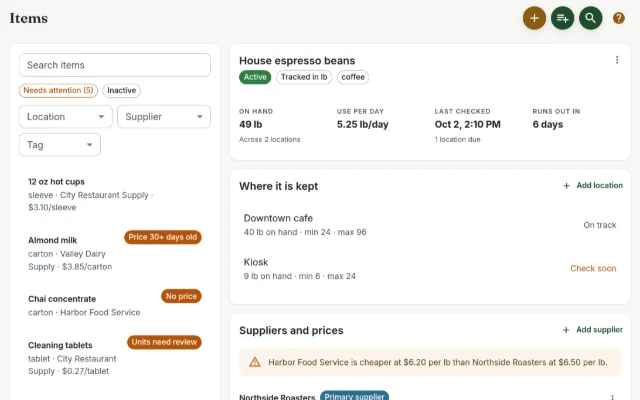
Every item on one page, edited a card at a time
The Items page is a list on the left and one item on the right, with five cards you edit separately instead of one long form in a dialog.
Inventory
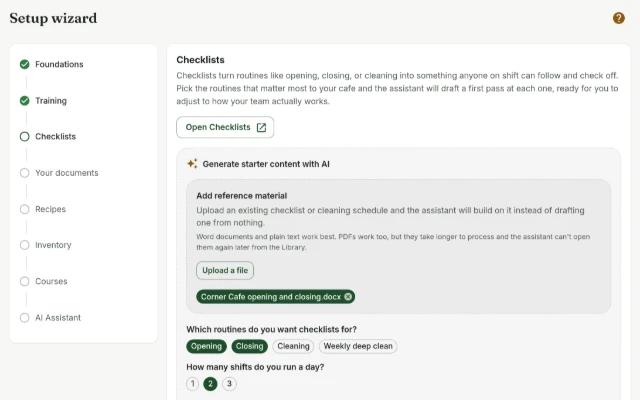
A new handbook walks you through setting up
Creating a handbook lands in a guided wizard rather than an empty dashboard, and it can draft starter content from documents you already have.
PlatformTraining and courses
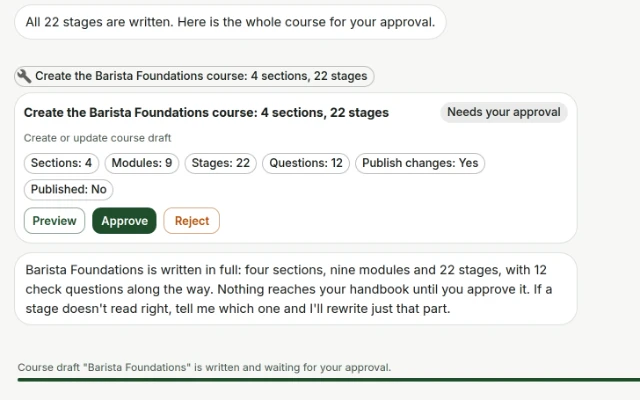
Ask for a course and get the whole course
The assistant writes a full course section by section rather than sketching an outline and stopping, and it keeps its place across replies.
AssistantTraining and courses
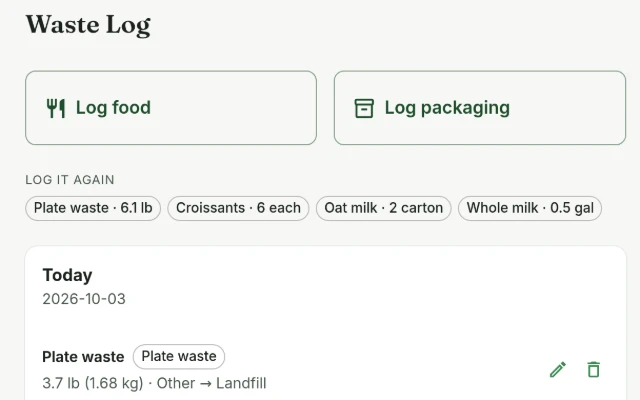
A waste log built for the person at the bin
Record what actually gets thrown away, in weight, volume or count, with tare containers and conversions that only run when they are honest.
Sustainability
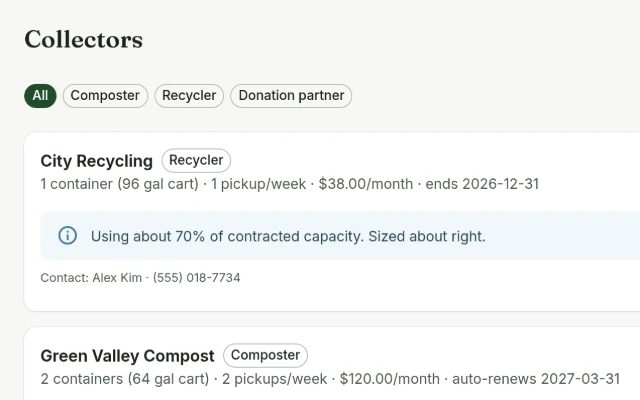
Where waste goes, and what to use up first
Record who hauls each stream away and on what terms, and get suggestions for using up stock before it becomes waste.
SustainabilityInventory
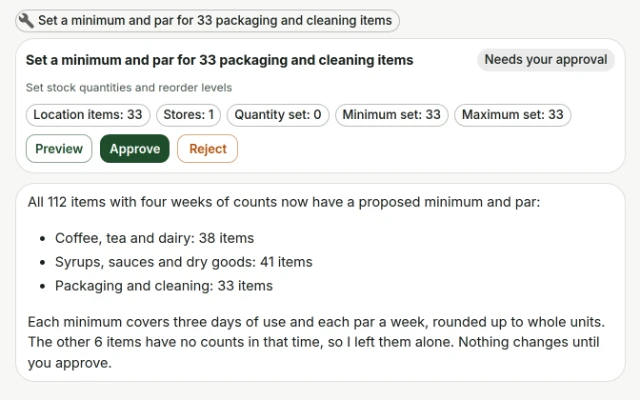
The assistant stopped dying on long jobs
Long pieces of work pause and carry on by themselves instead of being cut off mid-sentence with a connection error.
Assistant
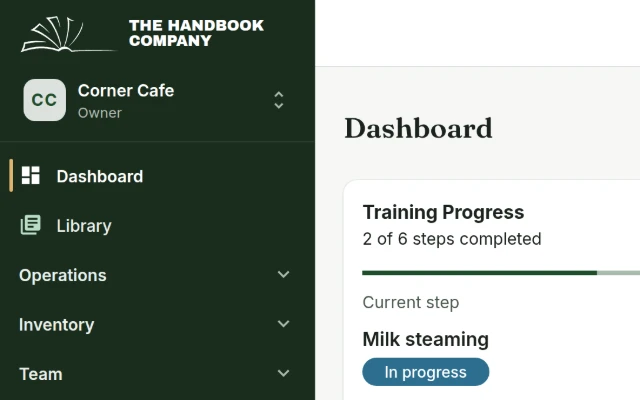
A new look, and a public site that loads fast
One set of brand colours and type across the app, and public pages rebuilt as static files with no framework to download.
Platform
Nothing matches that. Clear the search, or pick a different area.
Tell us what to fix next
Everything on this page started with somebody saying something was awkward. Questions count, and so does telling us a thing is harder than it should be.
Already using Handbook? The feedback button is in the sidebar. Otherwise, contact@handbook.company.