
Shipped
Photograph an invoice and the prices land
Take a picture of a supplier invoice or forward it by email, check the lines it read, and the prices go onto your items.
September 8, 2026 · 1.15.0
Prices were typed in by hand, so they aged
Every price in inventory had to be entered by somebody, which meant they were right on the day they were entered and drifted from there. A costing built on six-month-old prices is a guess with a decimal point.
Capture, review, confirm
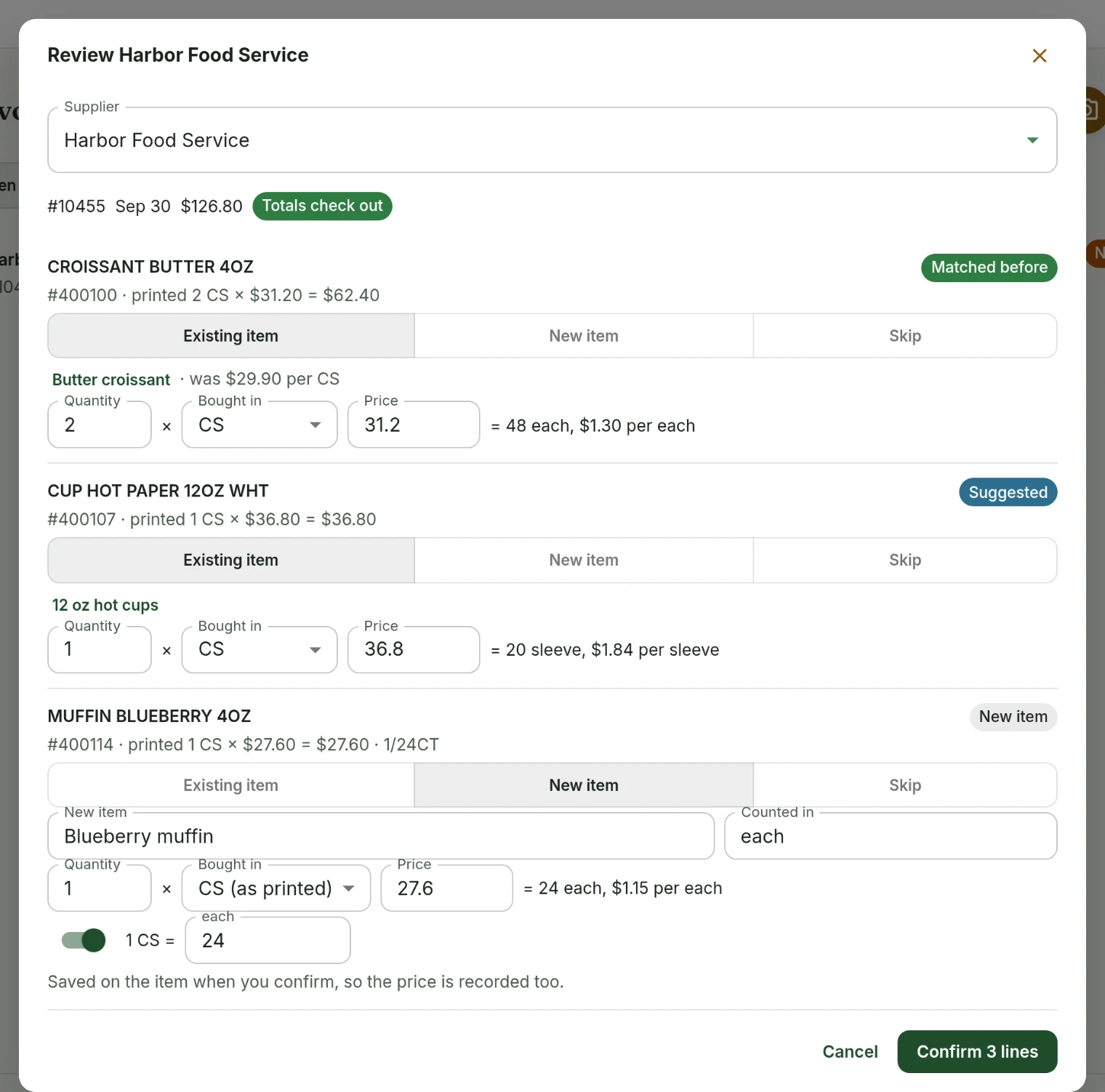
Photograph a receipt or upload a PDF and the lines come back matched against your items. Review each one and confirm. Confirming records the price, links the item to that supplier, and remembers the supplier's own item number so the next invoice matches by itself.
- You can email an invoice in instead of uploading it, to an address belonging to your handbook.
- Every capture is checked against the invoice total, and anything the reader could not make out is flagged rather than guessed.
- Pack sizes like "2 x bag" are converted and checked against the per-unit price on the same line.
- A receipt can be attached to a shopping trip, so what you planned to buy and what you actually paid end up in the same place.
Off until you turn it on
Invoice capture is a feature setting, off by default. So is catalog sharing, which is separate: it lets confirmed lines help build the shared supplier catalogue, and it never includes anything identifying your business or how much you bought.
Suppliers and invoicesInventory
Tell us what to fix next
Everything on this page started with somebody saying something was awkward. Questions count, and so does telling us a thing is harder than it should be.