
Shipped
One Library, with every file kept once
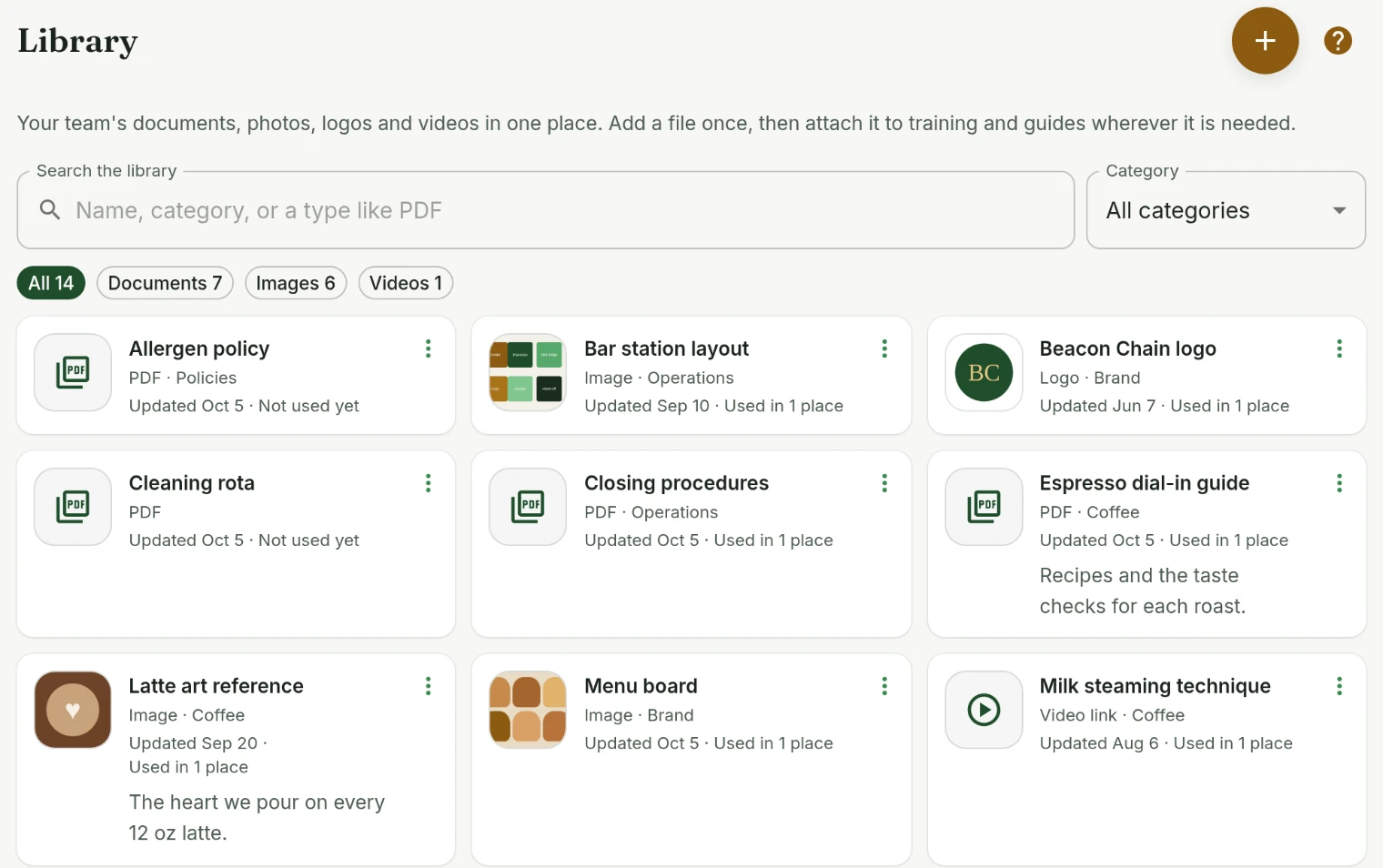
The Library is one list with a picture of every image. It notices a file it already has, and a newer copy updates every step and guide that shows it.
October 5, 2026 · 1.41.0
Why the Library changed
The Library is where a business keeps its SOPs, policies, photos and logos so they are uploaded once and reused in training and guides. Using it meant knowing how it stored things: documents and images sat on separate tabs, adding a file started with choosing between a document and an asset, and nothing said when a file was already there. The same opening checklist could end up in the Library three times, with each training step pointing at whichever copy was handy.
One list
Everything is in one list now. Images and logos show as pictures, and every other file shows its kind, so a PDF, a spreadsheet and a link look different at a glance. One search covers names, descriptions, categories and kinds, so typing pdf or logo works, and filters narrow it to documents, images or videos. Admins see how many places use each file, and the actions on a card sit in one menu.
Adding files
Add to library takes as many files as you pick or drag in, and you can drag them straight onto the page. Each one is sorted into a document, image or video for you and named from its file name, ready to rename before saving. The same works from a training step or guide, which attaches what you upload without leaving the editor.
Files the Library already has
Every upload now has a fingerprint. Pick the same file again and the Library says it already has it, and leaves it out unless you want a copy. From a training step it attaches the copy the Library holds. When a file looks like a newer copy of a document, by its name or its file name, the Library offers to save it as that document's next version instead of a second document.
Keeping a file current
Upload new version replaces a document everywhere it is attached, and older versions stay in its details with their dates, ready to restore. Images and videos can have their file replaced in place too, so a new menu board photo or logo shows up everywhere the old one did. Each file's details list the training steps, guides and practices that use it, and deleting one says where it will disappear from before anything is removed.
Attachments in training and guides
Training steps and guides show their files as one list of attachments, with a picture of each image, where they used to show separate boxes of documents and assets.
Training and coursesPlatform
Tell us what to fix next
Everything on this page started with somebody saying something was awkward. Questions count, and so does telling us a thing is harder than it should be.