
Shipped
Clearer sign-up, sign-in and emails
Our emails now look like they come from us. After signing up you can send the email again or type its code, and a password reset works from its first link.
October 16, 2026 · 1.63.0
What went wrong
The emails sent when you signed up or reset a password were plain, with no logo, and their link pointed at a different website from the one that sent them. At least one arrived with a warning that it looked unsafe. Some mail systems open every link in an email to check it, and that alone could use up a one-time link before you got to it.
After signing up, the page said to check your email but had no way to send it again. A link that had expired or been used opened an empty sign-in form with no word about why. Forgot password appeared only after a failed sign-in, and errors were shown twice, in words meant for programmers. An invite opened on the wrong account, or one already accepted, was a dead end.
The emails
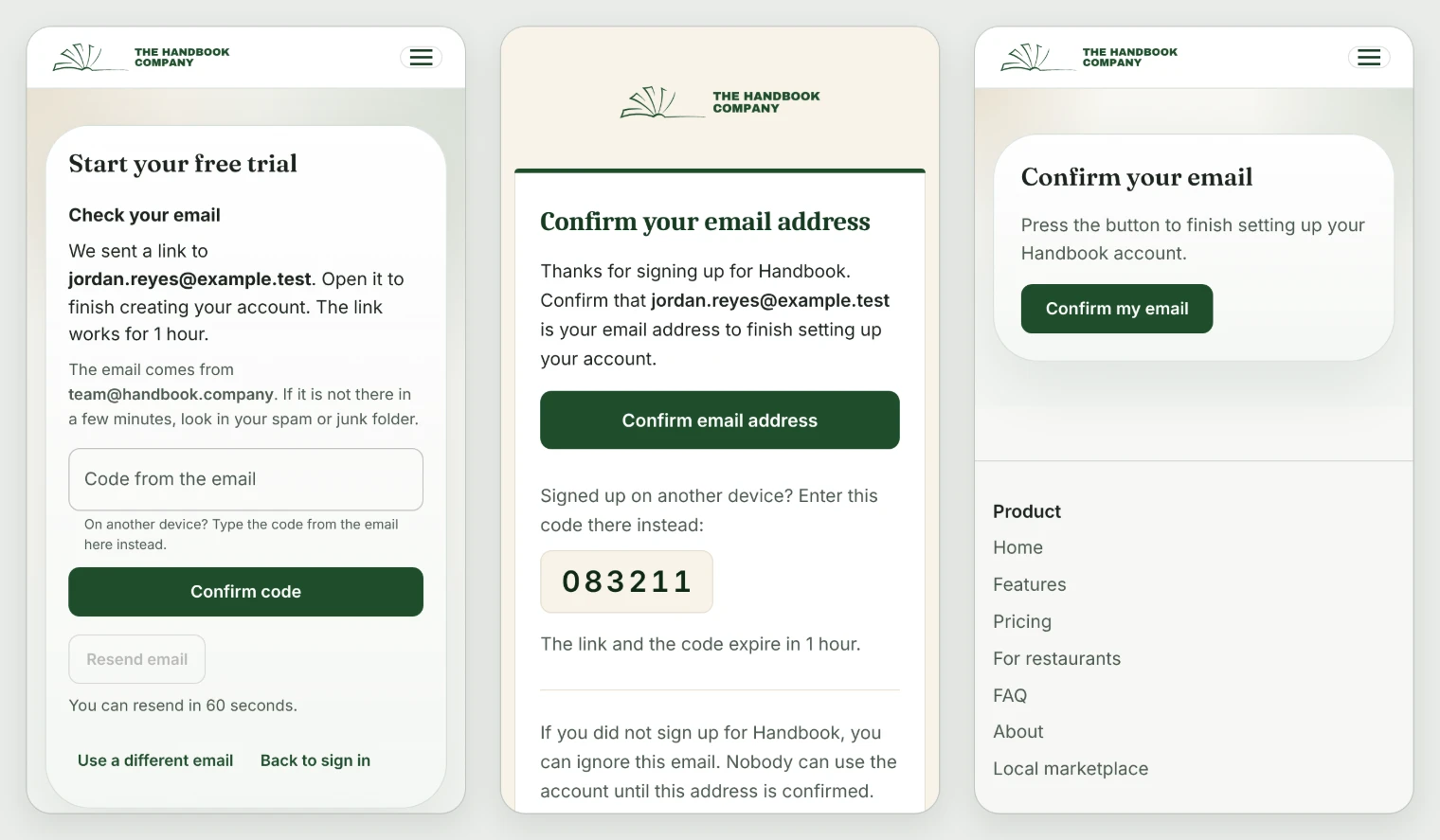
Every email Handbook sends now has one design: the logo, one clear button, plain sentences, and a footer that says why it came and how to reach a person. They come from The Handbook Company, read well on a phone and in dark mode, and a reply reaches somebody who reads it.
The button in a sign-up or password email opens a page on handbook.company, and nothing happens until you press the button on that page, so a mail system checking the link cannot use it up. The sign-up and reset emails also carry a code for finishing on another device. Those two switch to the new design shortly after this release; invites, reminders and messages have it from today.
Signing up and signing in
After you sign up, the page names the address the email went to and who it comes from, says the link works for an hour, and can send it again after a minute. Reading your email on another device? Type the code from it instead. If the address already has an account, the page says so and offers to sign in or reset the password, rather than claiming a new account was made.
Forgot password now sits under the password field all the time. The reset link opens a page for choosing a new password, and once it is saved you are signed in. A link that has expired or was already used says so and offers a new one. Errors are plain sentences shown once, Enter sends every form, and the app says Sign in and Sign out everywhere.
Invites
An invite now says who sent it, which handbook it is for, the role, the address it went to and how long it works, before it asks you to sign in or create an account, and that address is filled in for you. Opened on the wrong account, it names both addresses and offers to sign out and carry on. An expired, withdrawn or already used invite says what to do next, and somebody already in the handbook goes straight in.
A new account with an invite waiting is told so, rather than being sent to set up a handbook of its own.
Changing your sign-in email
Anyone can now change the email they sign in with, from Change sign-in email in the account menu. We send a link to the old address and the new one, and the change happens once both are opened.
Admins can no longer change someone else's sign-in email, because a change nobody confirmed could let the wrong person into the account. If you have lost the old address, write to contact@handbook.company and we will help.
PlatformTeam and access
Tell us what to fix next
Everything on this page started with somebody saying something was awkward. Questions count, and so does telling us a thing is harder than it should be.