
Shipped
Spreadsheet imports that finish
A stock list exported from Excel now imports the whole way through, and uploading it again repairs an import that stopped part way rather than doubling everything.
September 22, 2026 · 1.28.2
What went wrong
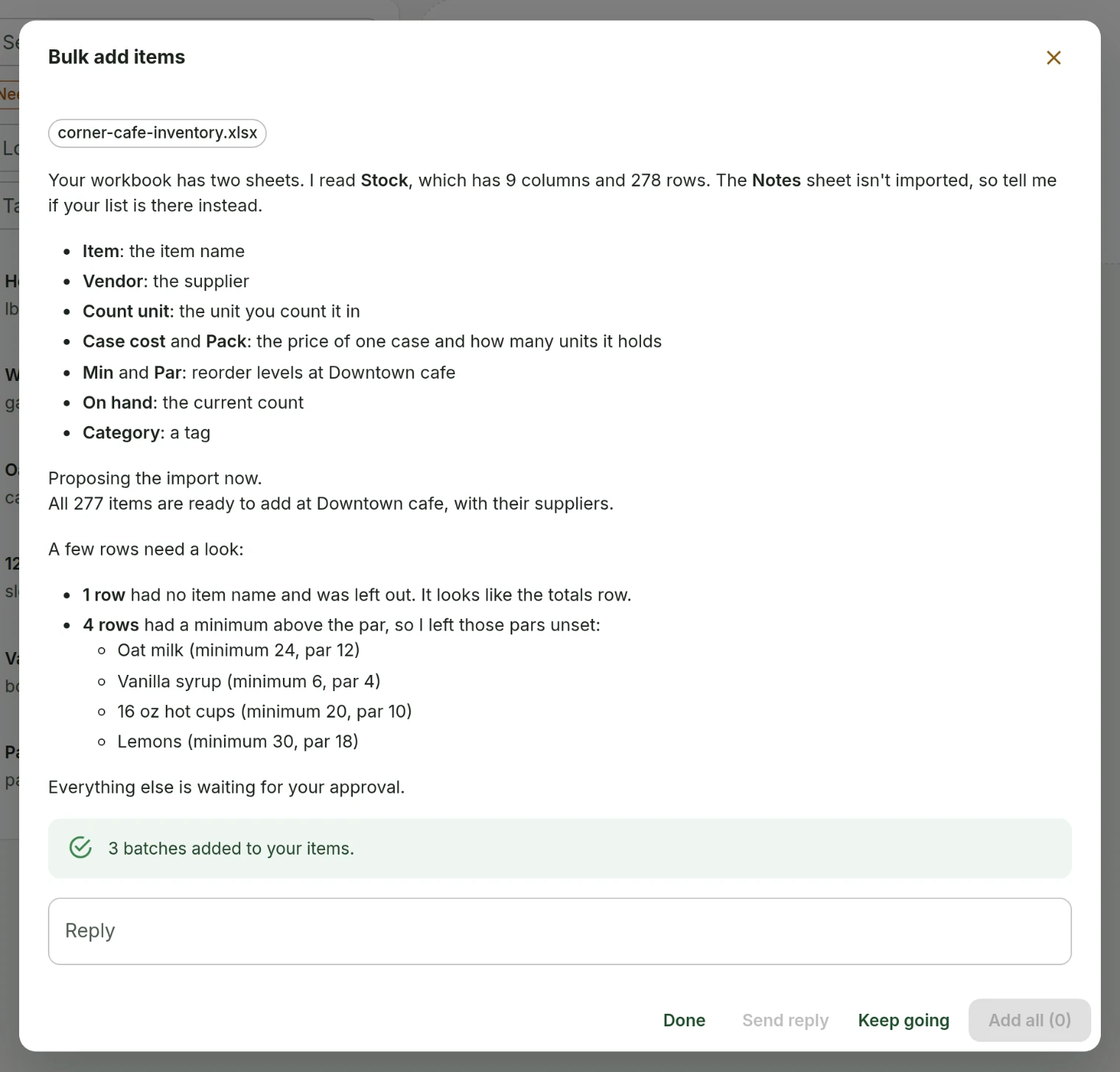
Bulk add could read a .csv and could not read a .xlsx, which is the format almost everyone exports. A spreadsheet arrives with its sheet name on the first line, the importer read that line as the column headers, and the file was turned away before the real headers were ever seen. A 277-row list arrived as 15 items.
That was fixed first, and then the next wall appeared. The file read correctly, the proposals were right, and applying them failed: four rows out of 278 had a minimum on hand higher than their par level, which cannot be stored together. Items, suppliers and the storage area were created and then nothing was connected to anything.
Rows that do not come through cleanly
Where a row's minimum is above its par, the minimum is kept, the par is left unset, and those rows are named back to you so you can set them properly. Four odd rows no longer stop the other 274 from arriving.
Rows that do not become items are explained too. A totals row at the bottom with no name, or a product listed twice, is reported rather than leaving you comparing two numbers with nothing joining them.
Uploading the same list again repairs it
This is the normal thing to do after a failure, and it now works properly. Items, suppliers, storage areas and the links between them are all matched before anything is created, so a second upload adds what is missing instead of duplicating what is there.
A row that exists but is half filled in gets completed. After the failure above, one handbook held storage assignments for less than half its items, and most of those had no minimum or par: rows that look set up and cannot drive a reorder. Those get filled in from the file now.
- Only blanks are filled. A minimum or par you have already set is yours, and uploading a file is not permission to overwrite it.
- A workbook with several sheets imports the first one and tells you the names of the ones it did not read, so you can re-upload if it picked the wrong one.
- A supplier with no price still gets connected. Plenty of people track who they buy from and not what they pay, and that connection is the useful half.
- Undo still takes back everything an import did, including anything it filled in.
What people asked for
- Reported that uploading an inventory spreadsheet went round in circles, and later that approving the import failed part way and left items with no supplier.
Asked for by Cafetal Coffee.
InventorySuppliers and invoices
Tell us what to fix next
Everything on this page started with somebody saying something was awkward. Questions count, and so does telling us a thing is harder than it should be.