
Shipped
Transfers, locations and installing on an iPhone
A transfer now offers only what a location holds and no more than it has, a location says what it is for, and the dashboard shows how to install the app on an iPhone.
October 10, 2026 · 1.47.0
What was asked for
A cafe owner walked through her handbook with us. She had set up the fridge, the freezer and the front and back of her shop as separate locations, because the app described a location as a place inventory is kept. The transfer page let her pick items the location did not have and more than it held. Deleting asked in the browser's own box, and nothing in the app told her how to put it on her iPhone's home screen.
How transfers work now
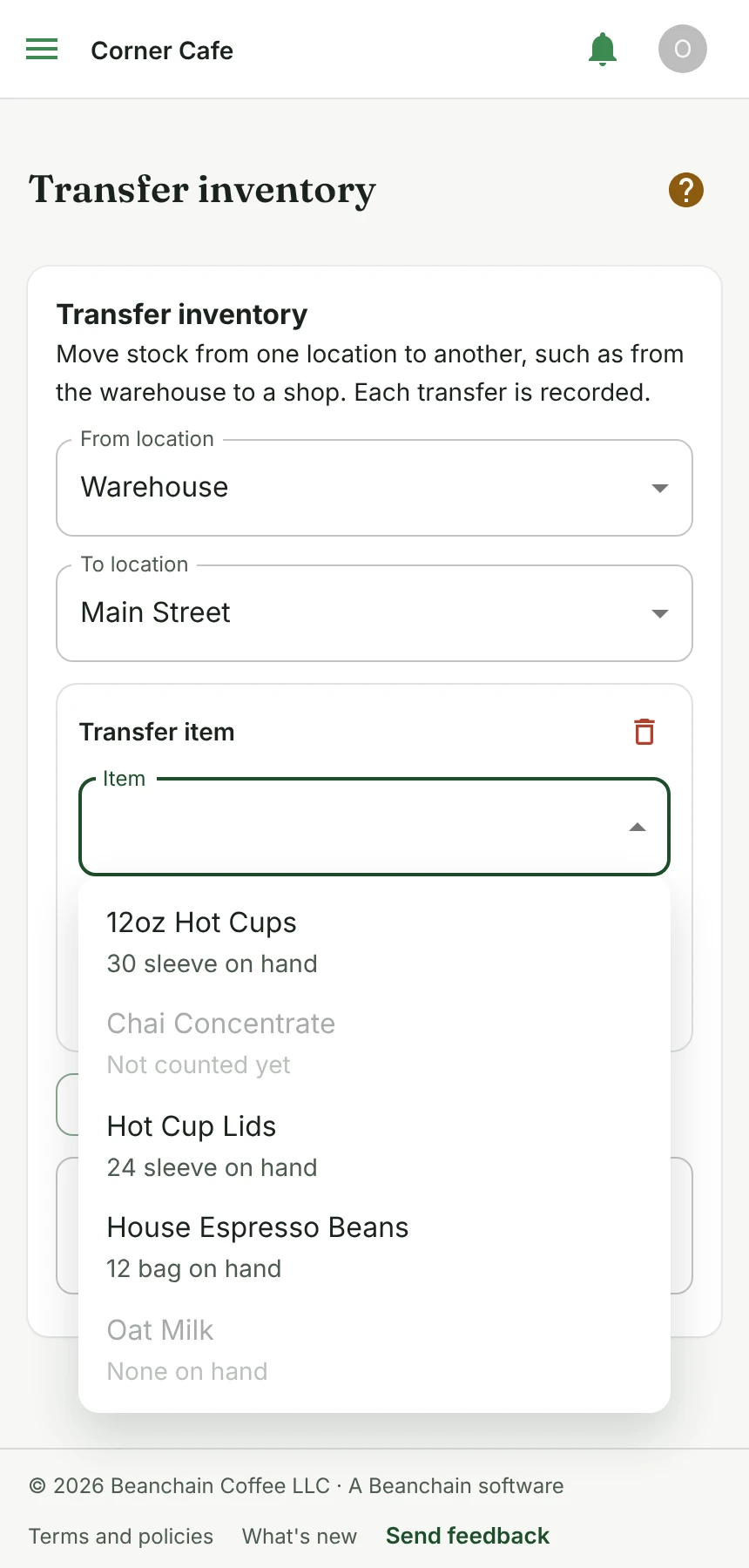
Once you choose where stock comes from, the item list holds only what that location stocks, each with how much is on hand there. An item that has never been counted there, or has none left, is listed but cannot be picked, with the reason beside it. Ask for more than is there and the row says how much there is and the transfer waits. A row that fits says what it leaves and what the other location will have.
Locations you have switched off are left out, the source is never offered as the destination, and with only one location the page says there is nowhere to move stock to yet.
What a location is
A location is a separate shop, truck or warehouse with its own stock, and every place the app describes one now says so. Most single shops need one. Creating a location named like a spot inside a shop, such as a fridge, a shelf or the back of house, shows a note pointing to tags for that instead. Storage areas inside a location, each with a photo, are being built next.
Putting the app on your home screen
A small card on the dashboard shows the steps for the phone and browser you are using. On an iPhone or iPad that is the Share button, then Add to Home Screen. Inside Instagram, Gmail and other apps it says to open the page in Safari first, and where the browser can install the app itself it is one button. The card goes away once the app runs from your home screen, or after Not now on that device.
Other changes
Deleting anything now asks in the app's own dialog, which says what goes with it. Deleting a location says its counts and transfers go too, and that switching it off keeps them. When the assistant proposes an inventory setup, its card marks each item that would be new, so a list of items you do not have stands out before you approve it.
What people asked for
- Asked for transfers that only offer what a location has, wording that makes clear a location is a separate place, the app's own delete dialog, and help adding the app to an iPhone's home screen.
InventoryPlatformAssistant
Tell us what to fix next
Everything on this page started with somebody saying something was awkward. Questions count, and so does telling us a thing is harder than it should be.